Common Challenges When Automating Testimonials in HubSpot

Key Highlights
-
HubSpot testimonial automation often breaks due to flawed enrollment logic and hidden workflow conflicts.
-
Response rates drop when timing is off and follow-ups are missing.
-
Weak suppression rules and re-enrollment settings quietly cause duplicates or missed submissions.
-
Manual approvals and scattered processes delay publishing and slow momentum.
-
Small configuration gaps compound over time, creating silent automation failures.
-
Structured timing, reminders, and review stages dramatically improve consistency.
-
Scalable testimonial systems require more than basic trigger-based workflows.
Automating testimonial collection in HubSpot should make proof easier to capture and deploy. When structured correctly, testimonials directly influence pipeline velocity and conversions. Research from the Spiegel Research Center shows testimonials can increase conversion rates by up to 270%, underscoring the revenue impact of well-managed social proof.
Yet many HubSpot setups underperform. Broken enrollment triggers, weak suppression logic, poor timing, and manual approvals quietly reduce response rates and slow publishing. Automation may be live, but results remain inconsistent.
This blog explains why HubSpot testimonial automation breaks down and how to fix it with structured timing, reminders, approval workflows, and clean enrollment control.
Why Do HubSpot Testimonial Automation Workflows Sometimes Fail to Trigger as Expected?
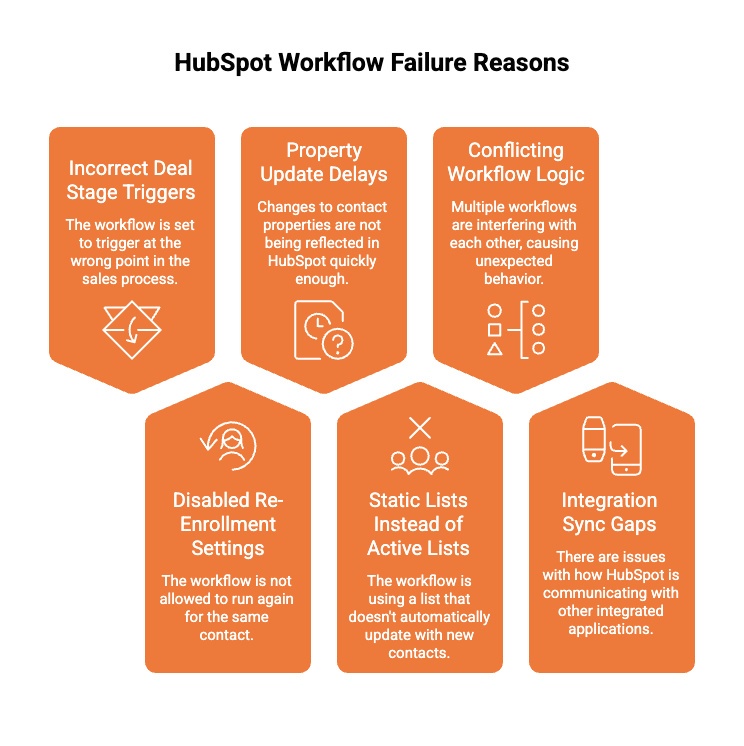
HubSpot testimonial automation workflows often fail quietly. You expect proof to flow in after a deal closes, but nothing happens. No enrollment. No email. No submission. Over time, missed testimonials mean missed trust signals and lost revenue influence.
Most failures are not dramatic. They are small logic gaps that block execution without warning.
Below are the most common reasons testimonial workflows fail to trigger:
-
Incorrect Deal Stage Triggers: Workflows tied to the wrong pipeline stage, such as Closed Won instead of a post-onboarding milestone, may never enroll the right contacts.
-
Disabled Re-Enrollment Settings: If re-enrollment is not enabled, contacts who meet criteria again will not re-enter the workflow, preventing repeat testimonial opportunities.
-
Property Update Delays: When custom properties update slowly or rely on manual input, enrollment conditions may not activate at the right time.
-
Static Lists Instead of Active Lists: Static lists do not refresh automatically, causing newly qualified contacts to be excluded from automation.
-
Conflicting Workflow Logic: Multiple workflows targeting the same contact with overlapping criteria can suppress or override testimonial triggers.
-
Integration Sync Gaps: Delays between HubSpot and external tools can prevent status properties from updating correctly, blocking enrollment.
If testimonial volume feels inconsistent, the issue is usually enrollment logic, not customer willingness. Fix triggers first before changing messaging.
Why Are Response Rates So Low When Automating Testimonial Requests in HubSpot?
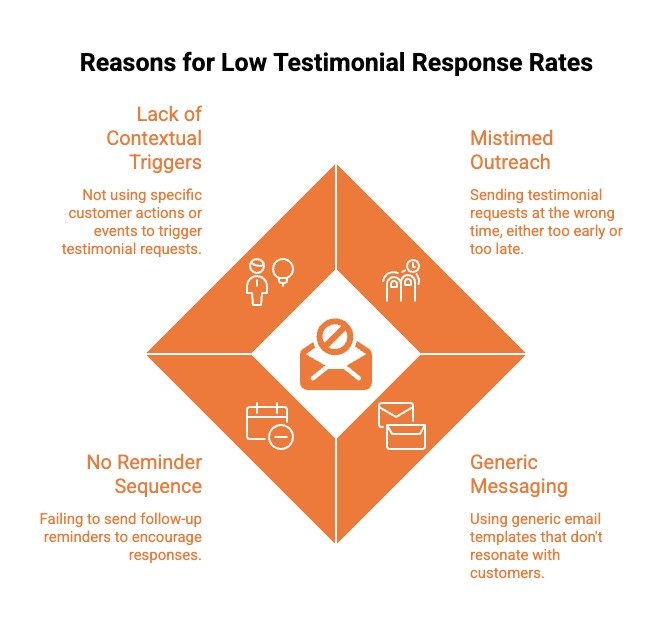
Automating testimonial requests in HubSpot does not guarantee strong response rates. Many teams assume that once a workflow is active, submissions will follow. In reality, timing, context, and follow-up determine whether customers respond or ignore the request.
Below are the most common reasons response rates remain low:
-
Mistimed Outreach, Too Early or Too Late: Requests sent immediately at Closed Won often arrive before customers see real value, while outreach months later loses emotional momentum. Both reduce motivation to respond.
-
Generic Email Messaging: Template-driven emails without personalization feel transactional and fail to reflect the customer’s actual experience or results.
-
No Reminder Sequence: A single email rarely converts. Without structured follow-ups, many satisfied customers simply forget to respond.
-
Lack of Contextual Triggers: Stage-based automation ignores product adoption, onboarding completion, or measurable success milestones that create stronger testimonial intent.
Before rewriting your email copy, audit when the request is sent and whether reminders exist. Timing and follow-up usually matter more than wording.
Want to increase engagement beyond simple text testimonials? Discover an automated way to create customer testimonial videos that eliminates manual follow ups, simplifies collection, and centralizes video testimonials inside your workflow.
How Can I Avoid Duplicate or Missing Testimonials When Automating in HubSpot?
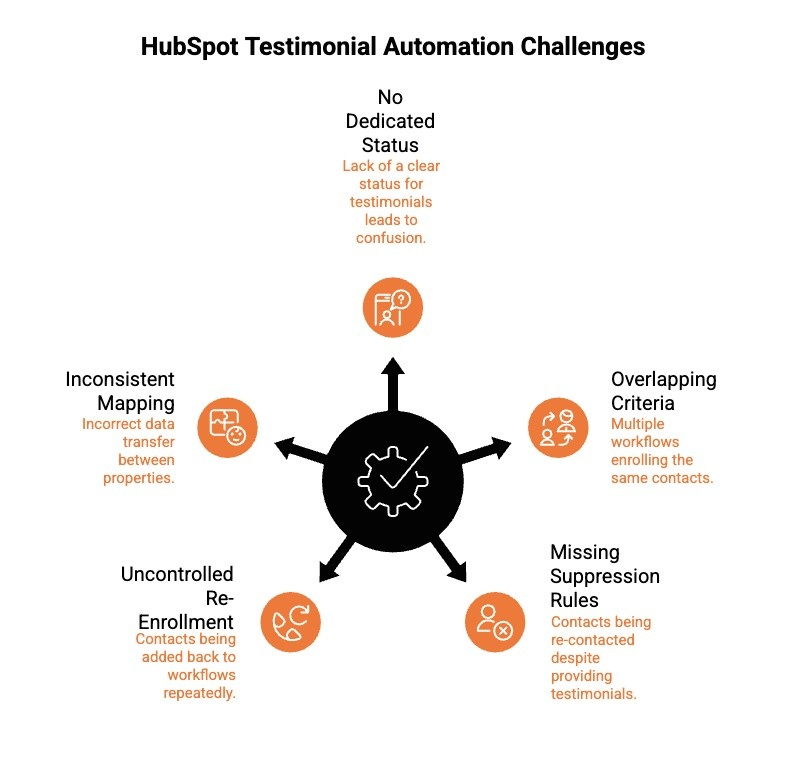
Duplicate requests and missed submissions usually happen when suppression rules, properties, and enrollment logic are not clearly defined. Prevention depends on structured tracking and controlled workflow behavior, not manual monitoring.
Below are the most common causes and how to prevent them:
-
No Dedicated Testimonial Status Property: Create a clear property such as Submitted, Approved, or Collected. Workflows should check this status before sending any request and update it automatically after submission.
-
Overlapping Workflow Enrollment Criteria: Audit all active workflows targeting similar lifecycle stages or deal conditions. Ensure only one workflow controls testimonial outreach for a given segment.
-
Missing Suppression Rules: Add suppression filters that automatically exclude contacts whose testimonial status is already marked as completed.
-
Uncontrolled Re-Enrollment Settings: Limit re-enrollment to specific, intentional triggers. Avoid open re-enrollment that allows contacts to cycle back into the same workflow repeatedly.
-
Inconsistent Property Mapping: Ensure submission forms, integrations, and manual updates all write to the same testimonial status property to avoid tracking gaps.
Most duplicate issues stem from missing status properties or loose re-enrollment rules. Tight suppression logic prevents problems before they scale.
Why Does Scattered Testimonial Data Create Sales and Marketing Friction?
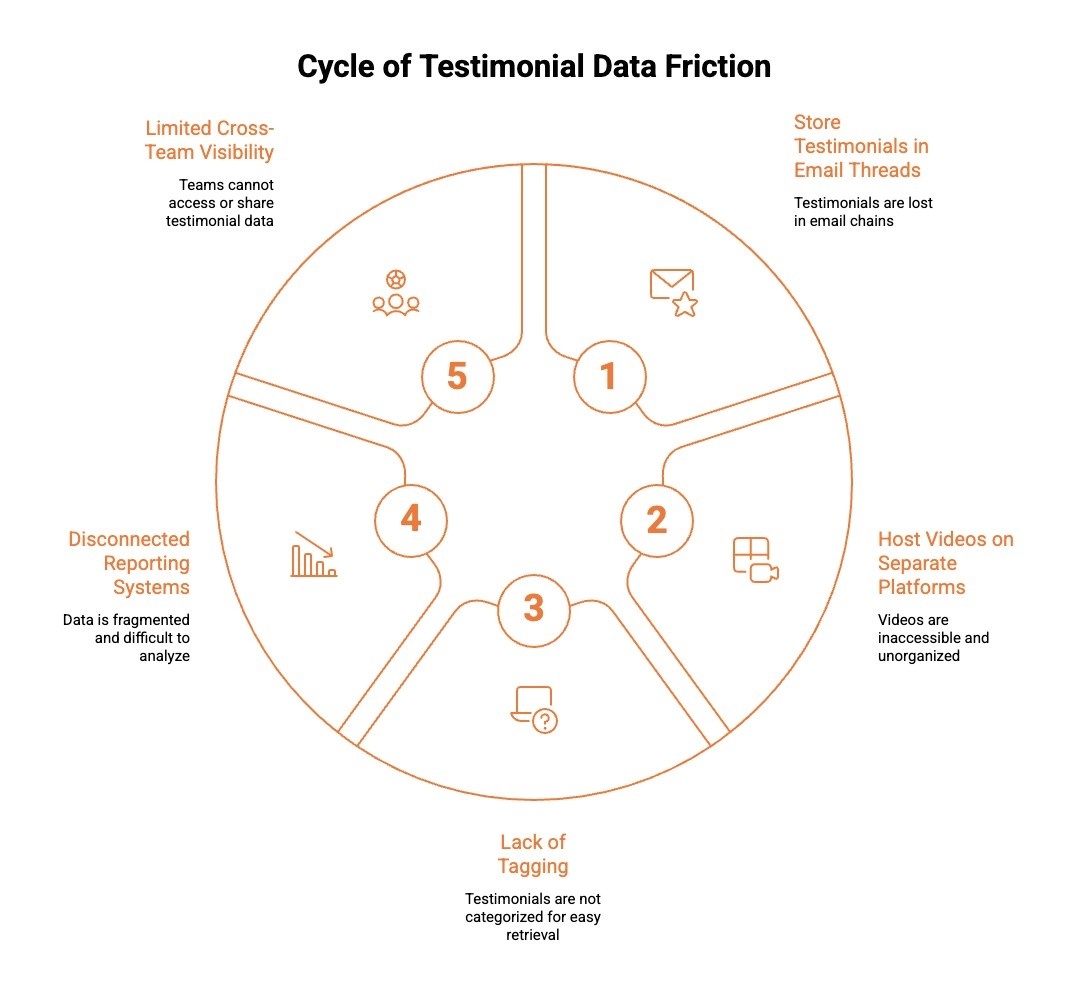
Scattered testimonial data creates operational friction because proof is collected but not structured for reuse. When testimonials live across inboxes, forms, drives, and third-party tools, sales and marketing teams waste time searching instead of deploying relevant proof.
Below are the most common ways scattered data creates friction:
-
Testimonials Stored in Email Threads: Quotes buried in inboxes are difficult to retrieve, categorize, or scale across campaigns.
-
Videos Hosted on Separate Platforms: When video testimonials sit outside HubSpot, reps cannot quickly access or share them during live conversations.
-
No Tagging by Industry or Persona: Without segmentation, sales teams struggle to match the right testimonial to the right prospect.
-
Disconnected Reporting Systems: Marketing cannot measure ROI when testimonial submissions and campaign performance data are not aligned.
-
Limited Cross-Team Visibility: Customer success, marketing, and sales operate in silos without a unified testimonial library.
If sales cannot instantly find proof during a live conversation, your testimonial system is not structured for revenue impact.
Wondering how your CRM can do more than just store contact data? Discover how CRM and testimonial collection work together to automate requests, track status, and centralize social proof without manual follow-ups.
Why Do Manual Approvals and Publishing Delays Slow Down Testimonial Automation?
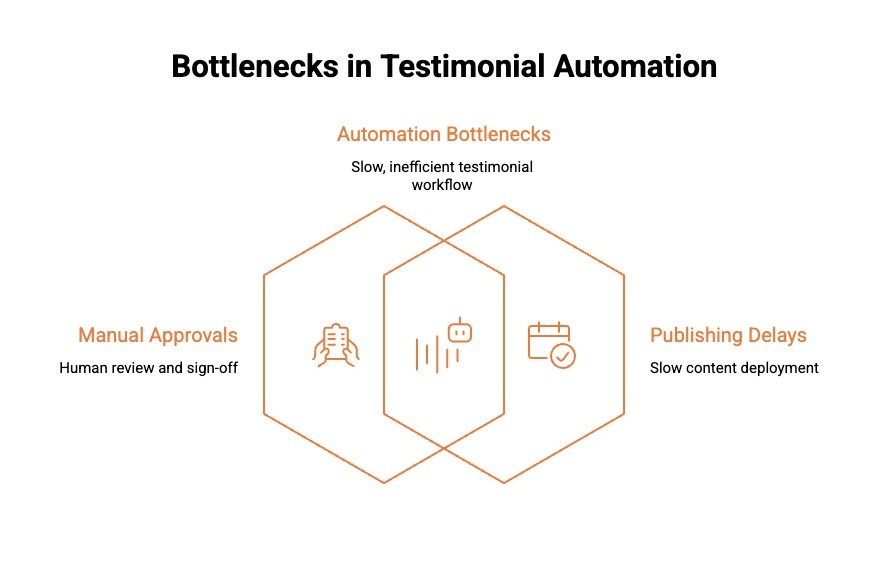
Manual approvals and fragmented publishing processes often become hidden bottlenecks in HubSpot testimonial automation. Even when requests are collected successfully, delays in review, formatting, or ownership handoffs can slow momentum and delay proof going live.
Below are the most common friction points:
-
Unstructured Email-Based Testimonials: Testimonials routed to shared inboxes require manual forwarding, follow-ups, and confirmation, creating unnecessary back-and-forth before approval.
-
Lack of Defined Approval Stages Inside HubSpot: Without clear lifecycle properties such as Submitted, Under Review, Approved, or Rejected, teams lack visibility into status and ownership.
-
Scattered Storage and Manual Publishing: Testimonials stored across inboxes or documents must be reformatted and copied into landing pages or campaigns, slowing reuse.
In practice, a structured HubSpot approval workflow uses a dedicated testimonial property or custom object. When a submission arrives, the status automatically updates to “Under Review,” triggers a task for the assigned owner, and routes approval through defined stages. Once marked Approved, the workflow can notify marketing, update CRM records, and move the testimonial into a centralized library ready for publishing.
What Troubleshooting Steps Should I Take If Testimonials Aren’t Appearing Properly After Automation in HubSpot?
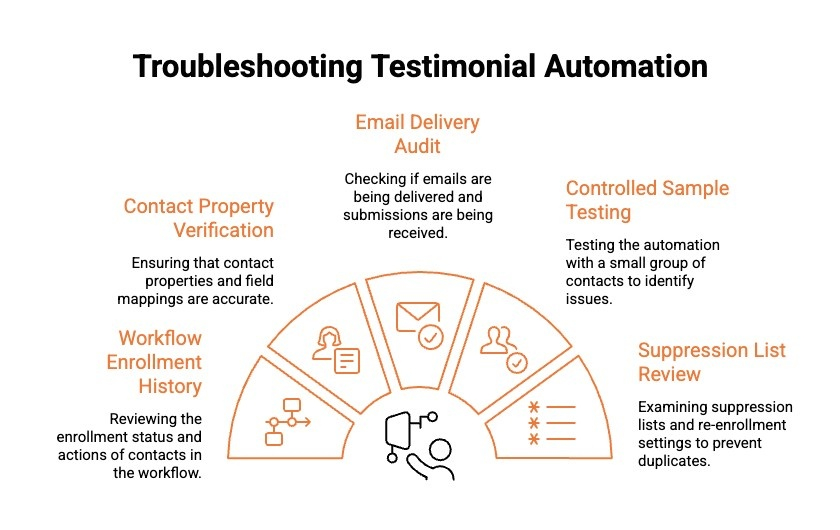
When testimonials fail to appear properly after automation in HubSpot, the issue is usually structural rather than technical. Misconfigured properties, enrollment gaps, or integration sync delays often block visibility without triggering obvious errors.
Below are the key troubleshooting steps to diagnose and resolve the issue effectively:
Step 1: Check Workflow Enrollment History and Action Logs
Start by reviewing the workflow enrollment history for the specific contact. Confirm whether the contact met enrollment criteria and completed each workflow action. Examine timestamps, skipped steps, and suppression events. Action logs often reveal silent failures such as unmet property conditions or disqualification due to conflicting workflows. This step helps verify whether the automation triggered correctly or stopped midway.
Step 2: Verify Contact Properties and Field Mapping Accuracy
Confirm that all relevant testimonial status properties are updating as expected. Check whether custom fields such as “Testimonial Submitted” or “Approval Status” are mapped correctly between forms and HubSpot. Integration mismatches or incorrect internal property names can prevent data from appearing in records or reports. Accurate field mapping ensures automation visibility and consistent tracking.
Step 3: Audit Email Delivery and Submission Pathways
If testimonials rely on email-based collection, review email delivery metrics. Confirm that messages were delivered, opened, and not filtered as spam. Validate that submission links direct to the correct form and that confirmation triggers update HubSpot properties. Broken links or misconfigured redirects often prevent testimonial data from being captured properly.
Step 4: Test the Automation Using a Controlled Sample Contact
Create a test contact that meets all enrollment criteria and manually trigger the workflow. Monitor each step in real time, including property updates, notifications, and integration sync events. A controlled test environment helps isolate logic errors and confirms whether automation rules function as intended without affecting live records.
Step 5: Review Suppression Lists and Re-Enrollment Settings
Examine whether suppression lists or re-enrollment restrictions are unintentionally blocking contacts from appearing in testimonial records. Contacts may be excluded if they previously completed similar workflows or belong to overlapping segments. Reviewing suppression logic ensures qualified customers are not filtered out due to restrictive conditions.
Always test with a controlled contact before changing live workflows. Most automation failures can be isolated in minutes when tested deliberately.
How Can Optimized Timing, Automated Reminders, and Centralized Management Solve These Challenges?
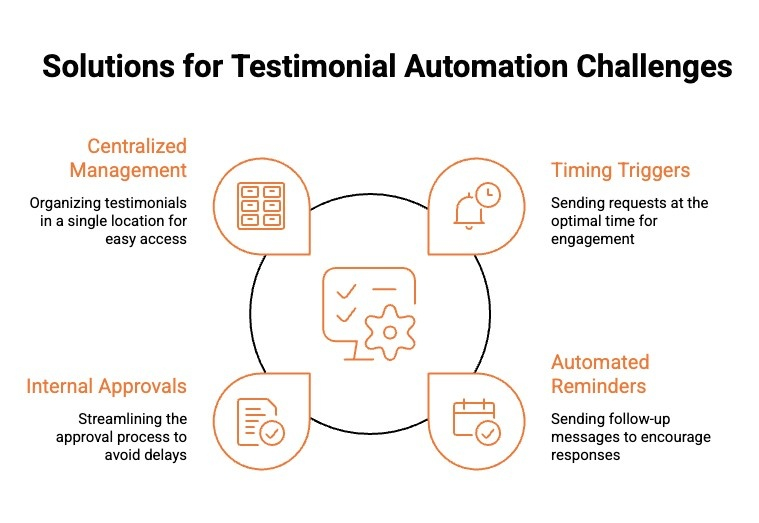
Solving testimonial automation issues is not about fixing isolated steps. It is about designing a connected system where timing, reminders, approvals, and storage reinforce each other.
When structured correctly, the process works as one continuous flow:
-
Timing Triggers the Right Moment: The system activates only after meaningful customer milestones, ensuring outreach happens when satisfaction and results are highest. This increases intent before any email is even sent.
-
Reminders Sustain Momentum: If the first request is missed, automated follow-ups continue the conversation at controlled intervals. Exit rules stop outreach once a submission is received, keeping the experience professional and respectful.
-
Approvals Keep Movement Internal: Once submitted, testimonials automatically move through defined review stages with clear ownership. Notifications replace inbox confusion, so nothing stalls between teams.
-
Centralization Powers Visibility and Reuse: Approved testimonials are stored in a searchable library inside HubSpot. Tags, statuses, and filters make retrieval instant for sales and marketing.
When timing, reminders, approvals, and suppression are connected intentionally, testimonial collection stops feeling reactive and starts functioning like infrastructure.
Still relying on manual follow ups to collect testimonials? Learn how testimonial automation can optimize timing, automate reminders, streamline approvals, and centralize social proof inside HubSpot for scalable growth.
Should You Rely on Native HubSpot Workflows Alone or Use a Dedicated Testimonial Automation Platform?
Native HubSpot workflows can handle basic testimonial automation. You can trigger emails after a deal is closed, add simple delays, and update contact properties. For small teams with low volume, this setup may work initially.
However, challenges appear as volume increases. Multiple pipelines, lifecycle stages, reminder sequences, approval routing, suppression rules, and duplicate prevention quickly require layered workflows and constant monitoring. What starts simple often becomes difficult to manage and audit.
Here is a practical comparison:
| Native HubSpot Workflows | Dedicated Testimonial Platform |
|---|---|
| Trigger email after closed won | Milestone-based smart timing optimization |
| Manual reminder setup in separate workflows | Automated multi-step reminders with exit rules |
| Custom properties for approval tracking | Structured approval stages built in |
| Basic reporting on email sends | Centralized dashboard for response rates and ROI |
| Manual storage in notes or files | Organized testimonial library ready for reuse |
Native workflows are flexible, but they require ongoing maintenance and careful configuration. Dedicated platforms streamline timing, approvals, reminders, storage, and reporting in one system.
Looking for a smarter way to manage and scale customer proof? Explore the top testimonial management tool designed to centralize testimonials, automate workflows, and make testimonials instantly reusable across marketing and sales.
Why Is ProofFlow the Smarter Way to Automate Testimonials Inside HubSpot?
Most testimonial automation fails because it relies on basic triggers and manual oversight. ProofFlow is built to solve the exact structural gaps we covered throughout this guide: poor timing, weak follow-up, approval bottlenecks, scattered storage, and duplicate outreach.
Here is how ProofFlow directly addresses each challenge:
-
Fixes Poor Timing: Requests are triggered by real customer milestones like onboarding completion and product adoption, not premature Closed Won stages.
-
Solves Low Response Rates: Automated multi-step reminders follow up at planned intervals, converting forgotten intent into completed submissions.
-
Removes Approval Bottlenecks: Structured review stages replace shared inbox chaos, routing testimonials automatically to the right owner.
-
Eliminates Scattered Storage: All video and text testimonials are centralized, tagged, and searchable directly inside HubSpot.
-
Prevents Duplicate Outreach: Built-in suppression logic and status properties stop re-enrollment errors and repeated testimonial requests.
ProofFlow transforms testimonial collection from a fragile workflow experiment into a structured, scalable proof system designed to run smoothly inside HubSpot.
Conclusion
Automating testimonials inside HubSpot works best when the system is intentionally structured. For HubSpot users, success depends on four core elements: triggering requests at the right milestone, applying clear suppression logic inside your HubSpot account, routing approvals through defined stages, and centralizing submissions captured from form submissions.
When these components align, HubSpot automation becomes predictable instead of reactive. Sales reps gain faster access to proof, marketing automation runs without duplicate outreach, and teams spend less time troubleshooting workflow issues.
If you want a streamlined system built around these principles, join the ProofFlow public beta and see how structured testimonial automation can run smoothly inside HubSpot.
Frequently Asked Questions
Which HubSpot workflow errors are most likely to impact testimonial automation?
The most common errors include broken enrollment triggers, incorrect contact status properties, skipped workflow steps, and unreviewed issue alerts. Regularly auditing your workflow settings helps catch these problems before they silently block automation.
Does data duplication in HubSpot affect the triggering of testimonial workflows?
Yes. Duplicate records distort contact counts, confuse workflow enrollment triggers, and reduce the accuracy of revenue attribution and lead scoring. When the same email address exists across multiple records, workflows may trigger twice or suppress valid enrollments entirely.
What mistakes cause HubSpot testimonial automation to fail unexpectedly?
Common mistakes include not updating automation settings after pipeline changes, missing email deliverability issues caused by spam filters, and overlooking acceptable use policy warnings. Reviewing workflow logs after any configuration change helps catch failures early.
How can I test if my HubSpot testimonial workflow is set up correctly to trigger?
Create a test contact using your own email address and manually meet the workflow enrollment criteria. Monitor each action step, check that emails are sent and properties update correctly, and confirm there are no delays or suppression rules interfering with execution.
Does record deduplication resolve testimonial workflow triggering issues in HubSpot?
Deduplication reduces inflated contact counts and property conflicts, which helps improve workflow accuracy. However, it does not fix broken enrollment triggers or suppression gaps on its own. Always review your automation settings separately before assuming duplicates are the root cause.
Ready to automate your testimonial collection?
Get full access to ProofFlow at no cost during our free beta. The complete testimonial automation platform for HubSpot.
Get Started Free