Why Do HubSpot Customer Testimonials Drive Buyer Decisions?

Key Highlights
-
HubSpot customer testimonials are most effective when they are automated, timely, and integrated into existing workflows.
-
Manual testimonial collection creates delays, missed opportunities, and inconsistent use across sales and marketing teams.
-
Using HubSpot surveys, workflows, and internal alerts helps surface the right customers at the right moment.
-
Video testimonials strengthen trust and accelerate decisions by showing real experiences from real people.
-
Testimonials deliver the most impact when activated across the funnel, not stored as static assets.
-
Measuring testimonial influence through HubSpot reporting connects social proof directly to sales performance.
-
ProofFlow simplifies testimonial video automation by connecting collection, approvals, and CRM syncing directly within HubSpot workflows.
Many teams collect positive customer feedback but struggle to turn it into something useful. Testimonials sit in emails, surveys, or internal notes, rarely making their way into the sales process or marketing efforts where they can actually influence decisions.
The challenge grows as teams scale. Manual follow-ups take too much time, approval steps slow things down, and testimonials often go out of date before they are ever used. As a result, strong customer voices are underrepresented at the exact moments potential buyers are looking for reassurance.
This blog explores how HubSpot customer testimonials can be automated, organized, and activated more effectively. By using the right workflows and strategies, teams can turn everyday customer feedback into consistent social proof that builds trust, shortens sales cycles, and supports growth.
Why Do HubSpot Customer Testimonials Matter More Than Ever?
B2B buyers have changed how they evaluate solutions. They spend more time researching independently, comparing options, and validating claims before engaging with sales. As a result, proof from other customers now carries more weight than product messaging alone. Testimonials help buyers answer the unspoken question, “Has this worked for someone like me?”, reducing uncertainty early in the evaluation process.
Inside HubSpot, this shift creates a practical need to surface testimonials at the right moments, not just store them as static assets. When testimonials are embedded into CRM records, workflows, emails, and sales interactions, they reinforce credibility exactly when buyers are making decisions. This operational alignment helps teams support faster evaluations, smoother handoffs between marketing and sales, and more confident progress through the pipeline.
What Makes Managing Testimonials In HubSpot So Challenging?
Many teams want to leverage customer testimonials but struggle to manage them effectively within HubSpot. The issue often lies in how HubSpot’s features are used, rather than the platform itself.
Here are the most common challenges tied to HubSpot’s CRM, ticketing, forms, and workflows:
-
Manual Follow-Ups: Without proper automation, follow-ups via HubSpot tasks or reminders are time-consuming and easy to forget.
-
Low Response Rates: Generic outreach and poor timing within HubSpot workflows or forms lead to low engagement, especially if segmentation is off.
-
Scattered Customer Feedback: Feedback can be spread across HubSpot CRM notes, support tickets, and forms, making it hard to consolidate and track effectively.
-
Approval Bottlenecks: Approval workflows within HubSpot can become delayed or stuck without clear ownership or streamlined permissions, slowing down testimonial use.
-
Inconsistent Usage Across Teams: HubSpot’s segmented tools (CRM, Marketing Hub, Service Hub) can cause inconsistent access and use of testimonials across teams.
These challenges arise from how HubSpot’s features are set up, not the platform itself. By aligning workflows and permissions, teams can efficiently capture, approve, and utilize testimonials across the entire sales and marketing process.
How Can HubSpot Automate Testimonial Collection?
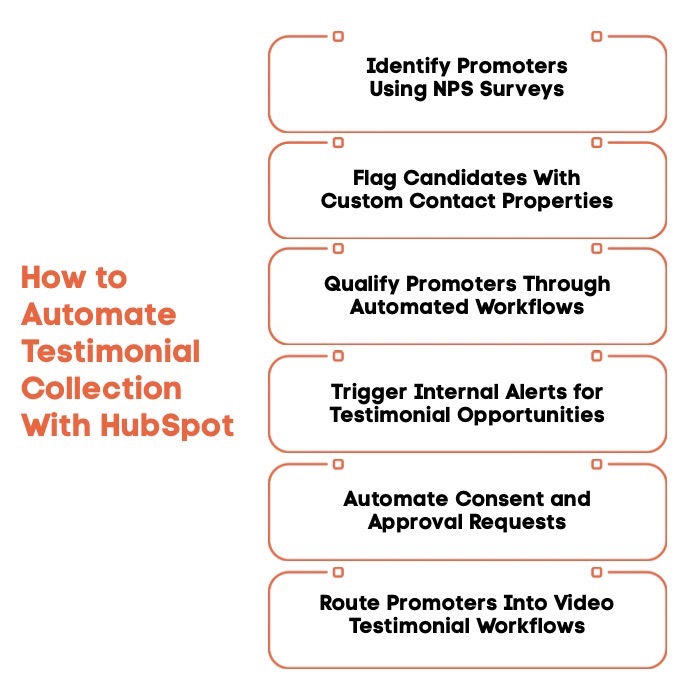
HubSpot already captures the signals you need to identify happy customers and act on positive feedback. With the right setup, those signals can trigger automated steps that turn customer feedback into usable testimonials without adding manual work.
Here is how the automation flow comes together inside HubSpot:
1. Use HubSpot Feedback Surveys To Identify Promoters
HubSpot’s NPS surveys make it easy to spot high-intent advocates at the right moment. Customers who leave strong scores along with written comments are signaling customer satisfaction and willingness to share their experience, which makes their feedback ideal for testimonials.
2. Flag Testimonial Candidates With Custom Contact Properties
A custom property such as testimonial candidate helps organize customer feedback inside HubSpot CRM. This simple flag acts as an automation trigger, allowing teams to track testimonial-ready contacts without relying on spreadsheets or manual notes.
3. Build Workflows That Automatically Qualify Promoters
Workflows can be set up to detect NPS scores, written responses, and recent engagement. When these conditions are met, HubSpot automatically updates contact records, ensuring only qualified leads and happy customers move forward in the testimonial process.
4. Send Internal Alerts When New Testimonial Opportunities Appear
Internal notifications alert the marketing team or support team the moment a promoter is identified. Acting quickly while the experience is fresh improves response time and increases the chances of capturing meaningful customer testimonials.
5. Automate Consent And Testimonial Approval Requests
Approval workflows help request permission to use customer reviews without manual chasing. Once consent is recorded, testimonials are ready for use across marketing campaigns, blog content, and web pages.
6. Route Qualified Promoters Into Video Testimonial Automation
Approved promoters can be automatically routed into video testimonial requests, making it easier to collect authentic stories from a real person. This step helps scale richer social proof that resonates with potential buyers and drives trust faster.
When set up correctly, this approach turns testimonial collection into a repeatable system that saves time, improves response rates, and ensures strong customer voices are captured at the right moment.
Why Do Video Testimonials Perform Better Than Text Alone?
Video testimonials work because they capture human signals that text cannot. Seeing a real person speak, hearing their tone, and observing natural emotion makes the experience feel authentic rather than scripted. This added realism increases believability and helps viewers quickly assess credibility, especially in high-trust B2B decisions.
Where video testimonials make the biggest difference is in how they influence movement through the funnel. In mid-funnel evaluation, they reduce uncertainty by showing how similar customers achieved results. Near the decision stage, video helps resolve hesitation by answering doubts buyers may not openly voice, making it easier to move forward with confidence.
Where Can Automated HubSpot Testimonials Create The Most Impact?
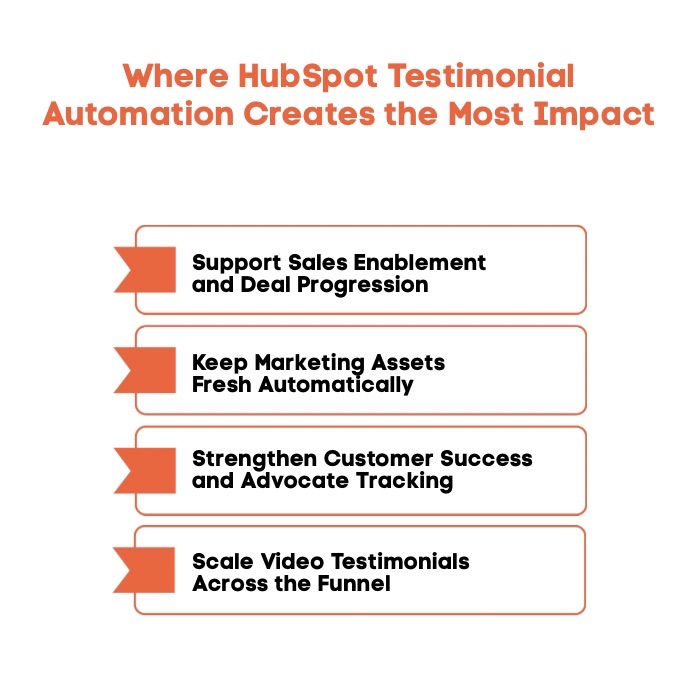
Automated testimonials are most effective when they are activated across multiple touchpoints instead of sitting unused in a folder. When HubSpot handles the timing and delivery, testimonials support both revenue teams and marketing efforts without extra coordination.
Here are the most effective ways teams put automated testimonials to work across HubSpot:
1. Support Sales Enablement And Faster Deal Progression
Testimonials give sales teams credible proof during proposals, demos, and follow-up conversations. When used at the right stage of the sales process, they help address objections early, reinforce value, and move deals forward with more confidence.
2. Keep Marketing Assets Fresh Without Manual Chasing
Automation ensures websites, landing page content, and case studies stay up to date without constant outreach. Fresh testimonials improve engagement for website visitors and strengthen blog posts and web pages that support ongoing marketing campaigns.
3. Strengthen Customer Success And Long-Term Advocate Tracking
Tracking promoters over time helps customer success teams identify loyal customers who are willing to share repeat success stories. This creates a steady pipeline of testimonials that reflect real customer experience over time.
4. Scale Video Testimonials Across The Funnel
Video testimonials can be aligned with different stages of the buyer journey, from early awareness to final decision-making. When used thoughtfully, they support lead generation and help convert interest into action.
By distributing testimonials across sales, marketing, and customer success, teams turn social proof into a consistent growth driver rather than a one-off asset.
What Are The Best Practices For Scaling HubSpot Customer Testimonials?
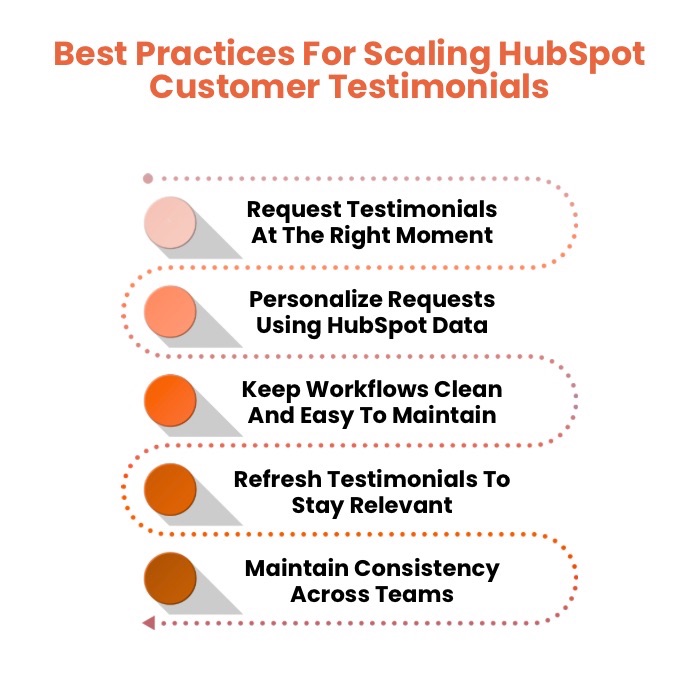
Scaling testimonials works best when teams follow a clear system instead of treating testimonials as one-off requests. The right practices help maintain quality, consistency, and momentum as volume grows.
These best practices help teams scale testimonials without losing authenticity or efficiency:
1. Request Testimonials At The Right Moment
Timing plays a major role in response rates. Trigger requests when customer satisfaction is high, such as after onboarding success, positive feedback, or a resolved support interaction.
2. Personalize Requests Using HubSpot Data
Personalized outreach feels more genuine and improves engagement. Using CRM data allows teams to tailor messaging based on role, lifecycle stage, and recent interactions.
3. Keep Workflows Clean And Easy To Maintain
Workflow hygiene ensures automation stays reliable over time. Clear naming, simple logic, and regular reviews prevent broken steps and reduce confusion across the marketing hub and sales hub.
4. Refresh Testimonials To Stay Relevant
Testimonials should reflect current offerings and customer needs. Regular updates ensure social proof remains relevant for your target audience and aligns with evolving marketing strategy.
5. Maintain Consistency Across Teams
Consistency matters when multiple teams are involved. Clear ownership and shared processes help sales, marketing, and customer success use testimonials in a unified way.
Following these best practices turns testimonial collection into a scalable system that supports long-term growth and a stronger customer experience.
How Can You Measure The Impact Of Testimonials In HubSpot?
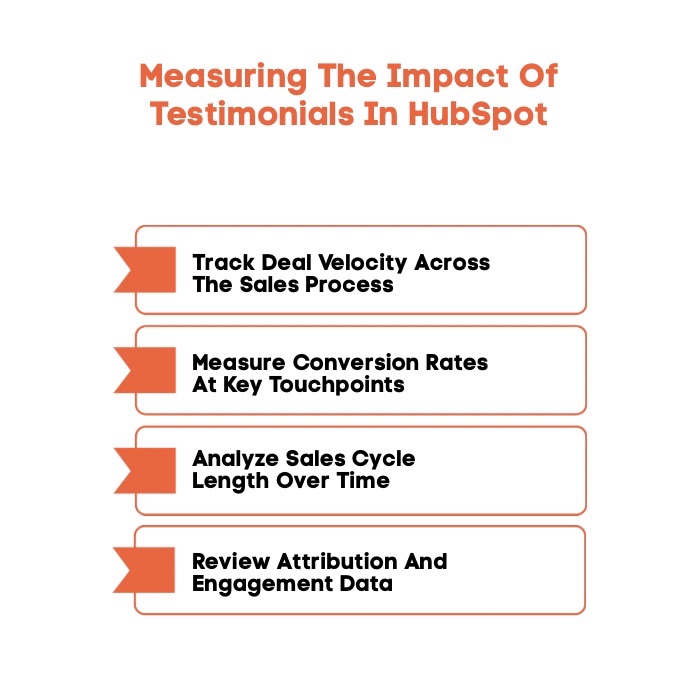
Testimonials are only valuable when they influence real outcomes across marketing and sales. Measuring their impact helps teams understand what is working and where social proof is helping buyers move forward.
These metrics show how testimonials contribute to performance inside HubSpot:
1. Track Deal Progression Speed
Testimonials can accelerate deal progression by building trust quickly and alleviating hesitation. By comparing the speed of deals before and after testimonials are introduced, teams can see how social proof drives quicker decision-making and moves opportunities forward.
2. Measure Conversion Rates At Key Touchpoints
Testimonials placed in email marketing campaigns, landing page content, and web pages can influence conversion behavior. Monitoring changes in conversion rates helps identify where testimonials are driving stronger engagement from potential buyers.
3. Analyze Decision-Making Time
Shorter decision-making times indicate that testimonials are building trust and helping prospects make faster, more confident choices. HubSpot reporting reveals whether testimonials are reducing delays and streamlining the path to a closed deal.
4. Review Attribution And Engagement Data
Attribution reports and engagement metrics provide valuable insights into how testimonials influence buyer behavior. Tracking views, clicks, and assisted conversions helps teams understand where testimonials add the most value.
When measured consistently, testimonials become more than proof points and instead serve as performance indicators that guide smarter decisions and drive growth.
How Does ProofFlow Simplify HubSpot Testimonial Automation?
Once testimonial workflows are in place, the next challenge is executing them at scale without adding complexity. This is where a purpose-built solution helps bridge the gap between HubSpot automation and real testimonial outcomes. ProofFlow is designed to make testimonial automation inside HubSpot simple, consistent, and scalable.
-
Native Integration With HubSpot: ProofFlow connects directly with HubSpot so teams can manage testimonials within a single platform, supporting smoother customer relationship management and easier implementation of HubSpot workflows.
-
Automated Video And Text Testimonial Collection: ProofFlow automates testimonial requests and responses, making it easy for customers to share authentic stories from a real person without manual follow-ups.
-
Sync Testimonials Back To Contact Records: Testimonial data is automatically synced to HubSpot CRM, keeping customer feedback connected to contact records, sales data, and engagement history.
-
Centralized Testimonial Management: ProofFlow offers one place to review, organize, and reuse testimonials across marketing campaigns, email marketing campaigns, and landing page content, ensuring consistent use across teams.
By connecting testimonial collection directly to HubSpot workflows, ProofFlow turns social proof into a powerful tool that supports trust, efficiency, and growth.
Get started free today and experience how ProofFlow can streamline your HubSpot testimonial automation for greater efficiency and growth.
Final Thoughts
HubSpot customer testimonials deliver the most value when they are built into everyday workflows rather than treated as one-off assets. With the right automation and measurement in place, testimonial marketing HubSpot teams rely on becomes a dependable source of social proof that shortens the sales cycle and helps buyers make decisions with confidence.
When testimonials align with marketing automation and customer relationship management, teams gain clearer visibility into what influences potential customers at each stage. The result is a more consistent customer experience and a scalable way to drive growth without adding unnecessary effort.
Frequently Asked Questions
What are customer testimonials?
Customer testimonials are statements shared by clients that describe their experience with a product or service. They highlight real outcomes, satisfaction, and results, helping potential customers understand value through genuine feedback from people who have already engaged with a brand.
What are the best ways to add customer testimonials to a HubSpot website?
The most effective ways include adding testimonials to landing pages, product pages, and blog content using HubSpot modules. Placing them near calls to action helps website visitors see proof at decision points without disrupting the browsing experience.
How do HubSpot customer reviews impact business credibility?
HubSpot customer reviews strengthen credibility by showing real experiences instead of marketing claims. When buyers see consistent positive feedback across pages, it builds trust, reduces skepticism, and reassures potential customers that others have successfully achieved results.
What tips does HubSpot recommend for leveraging customer testimonials on my site?
HubSpot recommends using authentic quotes, keeping testimonials relevant to the page context, and updating them regularly. Featuring testimonials alongside offers or forms helps reinforce trust and encourages visitors to take action with greater confidence.
How can I integrate client testimonials into my HubSpot pages easily?
Client testimonials can be integrated easily using HubSpot’s drag-and-drop page editor, custom modules, or embedded content. Storing testimonials in the CRM also helps reuse them across multiple pages while maintaining consistency and accuracy.
How do customer testimonials help increase conversions in HubSpot?
Customer testimonials increase conversions by addressing doubts and reinforcing value at key moments. When prospects see relatable experiences from others, they feel more confident moving forward, which leads to higher engagement and improved conversion rates across HubSpot pages.
Ready to automate your testimonial collection?
Get full access to ProofFlow at no cost during our free beta. The complete testimonial automation platform for HubSpot.
Get Started Free