How Does HubSpot Marketing Hub Integration Work?

Key Highlights
-
HubSpot Marketing Hub integrates marketing, sales, and customer service on a shared CRM, reducing silos and improving visibility across the entire customer journey.
-
Native integration with Sales Hub enables real-time access to engagement data, lifecycle stages, and closed-loop reporting without manual handoffs.
-
Alignment still breaks down when proof like testimonials remains siloed, manual, or disconnected from deals and support workflows.
-
ProofFlow connects testimonials directly into HubSpot workflows, ensuring relevant proof appears at the right lifecycle stage and touchpoint.
-
Salesforce integrations sync data effectively but often fail to carry proof context, making trust harder to deliver across hybrid stacks.
-
HubSpot CRM features such as unified records, automation, and pipeline context make proof activation possible at scale.
-
Integrating proof across CMS, email, ads, and analytics creates consistent trust instead of one-off credibility moments.
Disconnected marketing, sales, and customer service teams remain a common growth blocker. Leads lose context during handoffs, sales conversations lack timely proof, and support insights rarely flow back into revenue workflows. When trust signals are fragmented, even strong demand generation struggles to convert.
This challenge grows as teams scale. Despite using modern platforms, many organizations still operate in silos where data exists but context does not. That gap becomes more visible when you consider that 278,000 customers in over 135 countries grow their businesses with HubSpot, yet alignment issues persist even inside widely adopted CRM ecosystems.
This blog explores how HubSpot Marketing Hub integration with sales and customer service tools works in practice, why alignment often breaks down, and how activating proof across workflows helps teams turn shared data into consistent trust at every customer touchpoint.
Why Does Marketing Sales and Support Alignment Still Break Down?
Alignment breaks down when teams share tools but not trust signals. Proof lives in silos, handoffs stay manual, and context gets lost across workflows.
Here are the key reasons this continues to happen:
-
Siloed Proof Ownership: Marketing collects testimonials, but sales and support cannot access them when needed.
-
Disconnected Team Workflows: Each team operates in HubSpot differently, weakening true alignment.
-
Missing Context at Touchpoints: Proof is not tied to lifecycle stages or real conversations.
Until proof moves with the customer, alignment remains partial rather than complete.
What Is HubSpot Marketing Hub and How Does It Connect Teams?
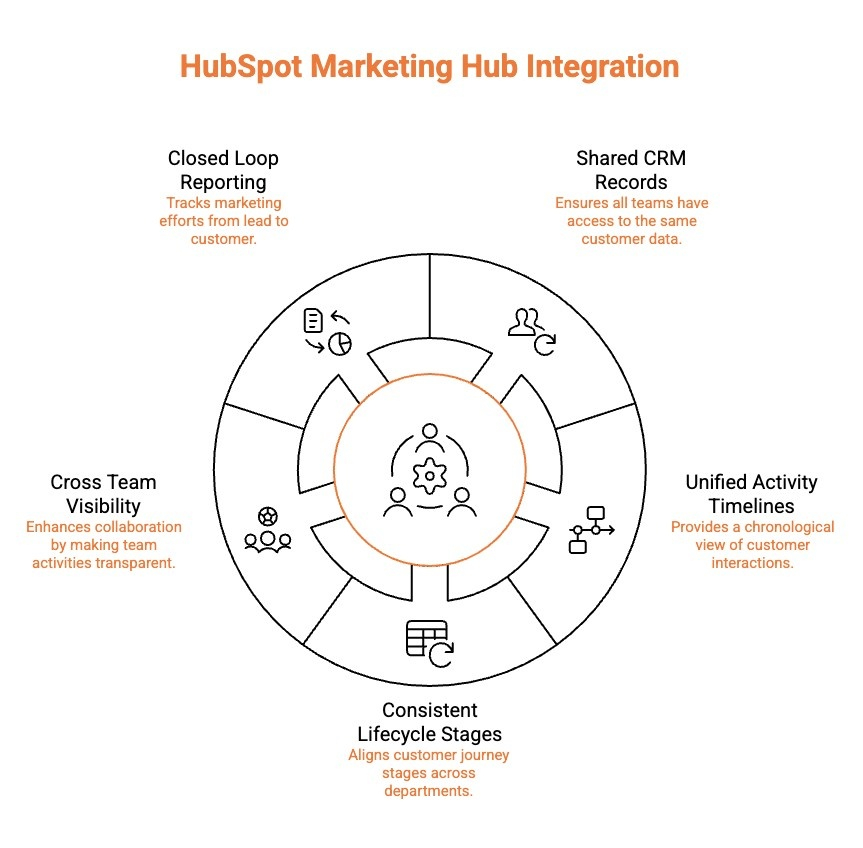
HubSpot Marketing Hub acts as the central layer that connects marketing activity with sales and support context inside one CRM. Instead of operating as a standalone campaign tool, it ensures every team works from the same contact data and timeline.
Below are the key ways it connects teams across functions:
-
Shared CRM Records: All teams access the same contact and company records, reducing duplication and misalignment.
-
Unified Activity Timelines: Marketing emails, sales calls, meetings, and support tickets appear in a single chronological view.
-
Consistent Lifecycle Stages: Lead and customer stages update automatically and stay aligned across marketing, sales, and service.
-
Cross Team Visibility: Sales sees campaign engagement, while support sees the full pre-sale and sales history.
-
Closed Loop Reporting: Marketing can track how campaigns influence revenue and customer outcomes.
By centralizing data and context, Marketing Hub turns team coordination into a shared, continuous process rather than a series of handoffs.
How Does HubSpot Marketing Hub Integrate With Sales Tools Natively?
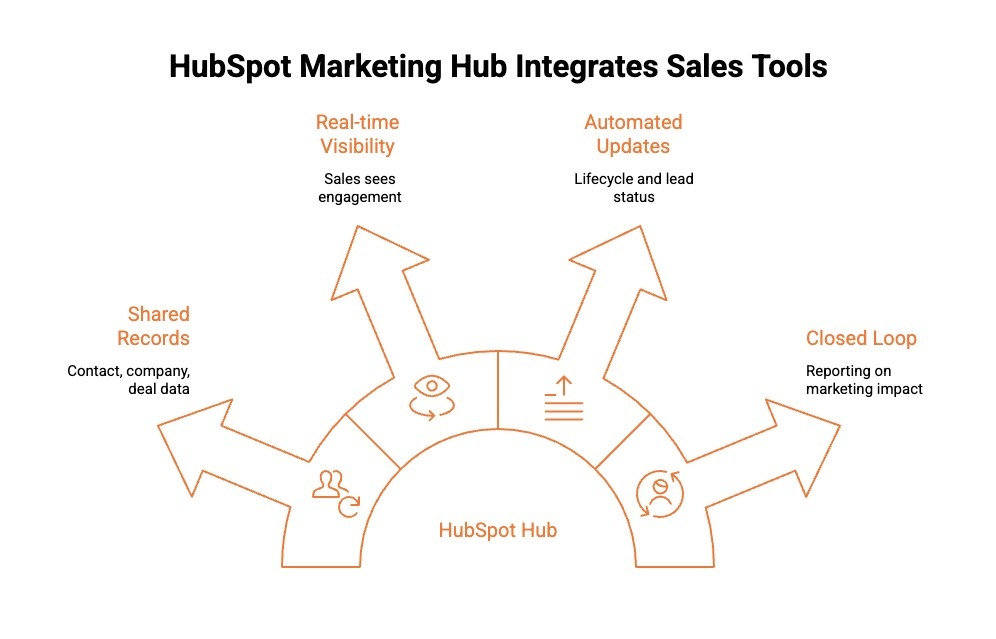
HubSpot Marketing Hub integrates with Sales Hub on the same CRM foundation. There is no external syncing or manual data transfer. Both teams operate inside one shared system, using the same data in real time.
Here’s how the native integration works in practice:
1) Shared Contact, Company, and Deal Records
Marketing and sales work from the same contact, company, and deal records.
When a lead fills out a form, downloads content, or books a meeting, that activity appears instantly in the CRM. There is no duplication, delayed sync, or separate database to manage.
2) Real Time Engagement Visibility for Sales
Sales teams gain full visibility into how prospects interact with marketing activities inside the CRM.
Sales reps can see the following engagement signals:
-
Email opens and clicks
-
Website visits
-
Form submissions
-
Campaign interactions
This allows reps to prioritize active leads and start conversations with context instead of assumptions.
3) Automated Lifecycle and Lead Status Updates
Lifecycle stages update automatically based on predefined criteria inside the CRM.
Marketing qualifies leads using behavioral data, while sales engages once readiness thresholds are met. This removes subjective handoffs, reduces internal debate over lead quality, and keeps pipeline movement consistent.
4) Closed Loop Reporting
Campaign performance connects directly to deals and revenue inside the CRM.
Marketing can see which campaigns generate pipeline and closed business, while sales can identify which activities influence deal progression. This shared visibility removes the need to manually reconcile reports across platforms and keeps performance measurement aligned.
When Marketing Hub and Sales Hub operate on the same CRM foundation, alignment becomes built into daily workflows. Data flows automatically, visibility stays shared, and teams make decisions using the same source of truth rather than separate systems or manual coordination.
Why Is Proof Missing at Key Sales Touchpoints Even With HubSpot?
HubSpot is designed to manage data, pipelines, and automation. However, it does not automatically operationalize trust signals inside live sales conversations. Testimonials may exist, but they are rarely structured in a way that makes them easy to surface at decision-critical moments.
Here are the core structural gaps that cause proof to disappear inside HubSpot environments:
-
Proof Is Stored, Not Operationalized: Testimonials often exist as static assets in folders, PDFs, Notion pages, or public review sites. They are not structured as searchable CRM-linked records tied to contacts, industries, objections, or deal stages.
-
No Context Mapping to Buyer Scenarios: Most testimonials are not tagged by persona, industry, product line, or common objections. Without contextual metadata, sales reps must manually interpret which proof might be relevant.
-
Workflow Disconnection: HubSpot workflows trigger emails, task creation, and lifecycle updates, but proof is not inherently embedded within those automation layers. This means trust assets do not move with the deal.
-
Cross-Team Isolation: Marketing may collect testimonials, support may receive positive feedback, and sales may need proof, but these signals rarely flow across teams in a structured way inside CRM records.
When proof remains disconnected from lifecycle data and deal context, it becomes reactive instead of strategic. The issue is not the absence of testimonials. It is the absence of structured activation inside workflows.
Curious why testimonials often stay scattered inside CRMs? Learn how CRM systems can collect, organize, and activate customer testimonials to build trust, improve engagement, and support buyer decisions across the customer journey.
How Does Proof Work Inside HubSpot?
In many teams, testimonials sit in shared folders, slide decks, or scattered documents. When integrated properly, proof can live inside HubSpot as structured, searchable assets connected to contacts, deals, and lifecycle stages.
Here’s how proof typically works inside HubSpot when integrated correctly:
-
Centralized Testimonial Storage: Testimonials are stored in a structured system connected to HubSpot, rather than scattered across tools. This ensures marketing, sales, and support teams access the same approved, up-to-date proof.
-
Lifecycle-Based Tagging: Testimonials can be categorized by persona, industry, objection, product, or lifecycle stage. This makes it easier to surface relevant proof during campaigns, nurture sequences, or deal progression.
-
Workflow-Triggered Activation: Testimonials can be surfaced automatically within workflows based on deal stage, lead score, or behavioral triggers. This removes manual searching and improves timing.
-
CRM-Level Visibility: Sales teams can view relevant proof within contact and deal records, keeping credibility assets close to conversations instead of separate from them.
When proof is structured inside HubSpot, it becomes operational rather than static.
Where Proof Helps in Marketing, Sales, and Support
Once integrated, testimonials can support multiple teams across the funnel without feeling like isolated marketing assets.
Here are the primary areas where proof strengthens performance across HubSpot workflows:
1) Marketing: Conversion Support at Key Moments
Marketing teams can use testimonials inside nurture emails, landing pages, and retargeting flows. When proof aligns with buyer objections or use cases, it strengthens messaging without increasing campaign complexity.
2) Sales: Objection Handling and Deal Acceleration
Sales teams benefit when proof is easily accessible during deal stages. Instead of requesting testimonials from marketing, reps can share relevant case studies or quotes directly from CRM records during live conversations or follow-ups.
3) Customer Support and Success: Post-Resolution Advocacy
Support teams can trigger testimonial collection after successful ticket resolutions or milestone achievements. This creates a consistent feedback loop and helps turn satisfied customers into advocates.
Wondering how HubSpot can turn testimonials into conversion assets? Learn how customer testimonials can be collected, structured, and activated directly inside HubSpot to support marketing, sales, and customer service workflows.
How Does HubSpot Marketing Hub Salesforce Integration Handle Proof?
HubSpot Marketing Hub can integrate with Salesforce for data syncing, but proof often struggles to move cleanly between systems. Testimonials exist, yet they rarely surface where sales teams need them most.
Below are the key ways Salesforce integration typically handles proof:
1) Proof Often Stays Outside Core CRM Records
In most HubSpot and Salesforce integrations, testimonials and case studies are not treated as native CRM objects. While leads, contacts, and campaigns sync reliably, proof assets usually remain in external libraries or documents. Sales teams must switch tools to access them, which disrupts deal conversations and reduces the impact of trust signals during critical decision moments.
2) Marketing and Sales Access Proof Through Separate Systems
Marketing teams typically manage testimonials inside HubSpot, while sales teams work primarily in Salesforce. Even when data syncs correctly, proof does not surface contextually within opportunities. This forces sales reps to rely on generic or outdated examples instead of proof tailored to the buyer’s industry, use case, or objections.
3) Limited Context Travels With Synced Data
Engagement data and lifecycle stages can sync between HubSpot and Salesforce, but proof context rarely does. Testimonials are not automatically aligned to pipeline stages or opportunity attributes. As a result, proof is shared late in the process or inconsistently across deals.
4) Manual Sharing Replaces Automation
Without a dedicated proof layer, teams depend on manual sharing through links, decks, or internal messages. This slows momentum and introduces inconsistency across sales motions.
When proof is not embedded into CRM workflows, Salesforce integrations support data alignment but fall short on delivering trust at scale.
What HubSpot CRM Integration Features Make Proof Activation Possible?
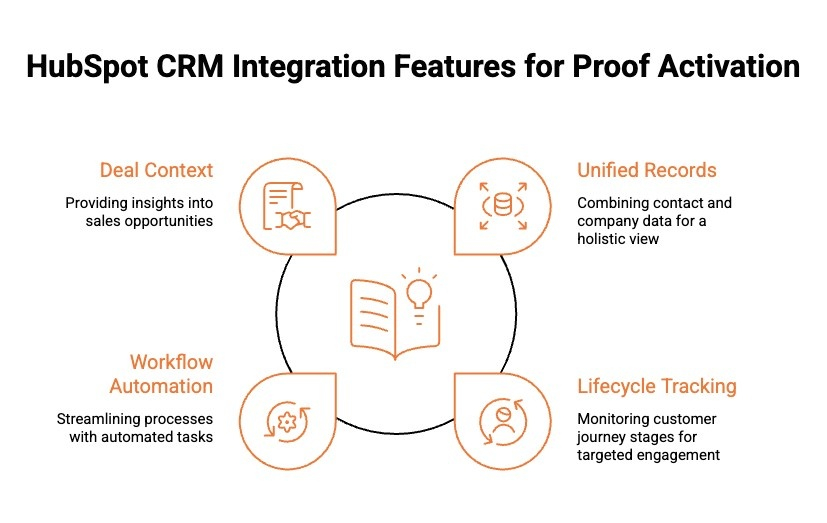
HubSpot CRM provides the structure needed to activate proof at the right moment, not randomly. Proof works only when timing and context are aligned across teams. These HubSpot Marketing Hub CRM integration features make proof activation possible across the funnel.
Below are the CRM integration features that enable proof to work effectively:
1) Unified Contact and Company Records
HubSpot maintains a single contact and company record shared across marketing, sales, and support. This unified view captures engagement history, deal activity, and service interactions in one place. With this structure, proof can be matched to a buyer’s industry, role, and behavior, ensuring testimonials feel relevant instead of generic or disconnected from the conversation.
2) Lifecycle Stage Tracking
Lifecycle stages define where a contact sits in the customer journey, from lead to customer to advocate. These stages allow proof to be activated when buyers evaluate risk, seek reassurance, or consider expansion. Instead of sharing testimonials too early or too late, teams can align proof delivery with buyer intent and decision readiness.
3) Workflow and Automation Logic
HubSpot workflows enable proof to be triggered automatically based on CRM conditions. Actions like deal stage changes, form submissions, or ticket resolution can activate relevant proof without manual effort. Automation ensures consistency across deals while removing delays caused by human handoffs or internal requests.
4) Deal and Pipeline Context
Deal properties such as industry, use case, size, and objections add critical context for proof selection. This allows teams to surface testimonials that directly address buyer concerns during live sales conversations. Context driven proof increases credibility and helps sales move deals forward with confidence.
When CRM data provides timing and structure, proof becomes actionable rather than static.
What Other HubSpot Marketing Hub Integrations Strengthen Trust?
Trust is strengthened when proof appears consistently across every buyer touchpoint, not just during sales conversations. HubSpot marketing hub integration with sales and customer service tools helps extend credibility across marketing, sales, and support interactions so trust signals show up throughout the customer journey.
Below are integrations that strengthen trust throughout the customer journey:
1) CMS and Website Integrations
Integrating Marketing Hub with website platforms allows testimonials, reviews, and customer logos to appear dynamically on landing pages and blogs. This ensures visitors encounter relevant proof early in their journey, helping reduce hesitation and reinforce credibility before any direct sales interaction occurs.
2) Email and Marketing Automation Integrations
Marketing Hub integrates with email and automation tools so proof can be embedded directly into nurture sequences and follow-ups. Including testimonials in ongoing communication reinforces marketing claims over time and helps prospects build confidence before speaking with sales.
3) Advertising Platform Integrations
Connecting Marketing Hub with advertising platforms enables proof to support paid campaigns across channels. Customer stories and reviews strengthen messaging in awareness, retargeting, and consideration ads, making acquisition efforts feel more trustworthy and grounded in real outcomes.
4) Analytics and Reporting Integrations
Analytics integrations allow teams to measure which proof assets influence engagement and conversions. This insight helps refine trust signals based on performance rather than assumptions.
When proof is reinforced across integrated channels, trust becomes consistent rather than situational.
How Should Teams Evaluate ProofFlow for Their HubSpot Stack?
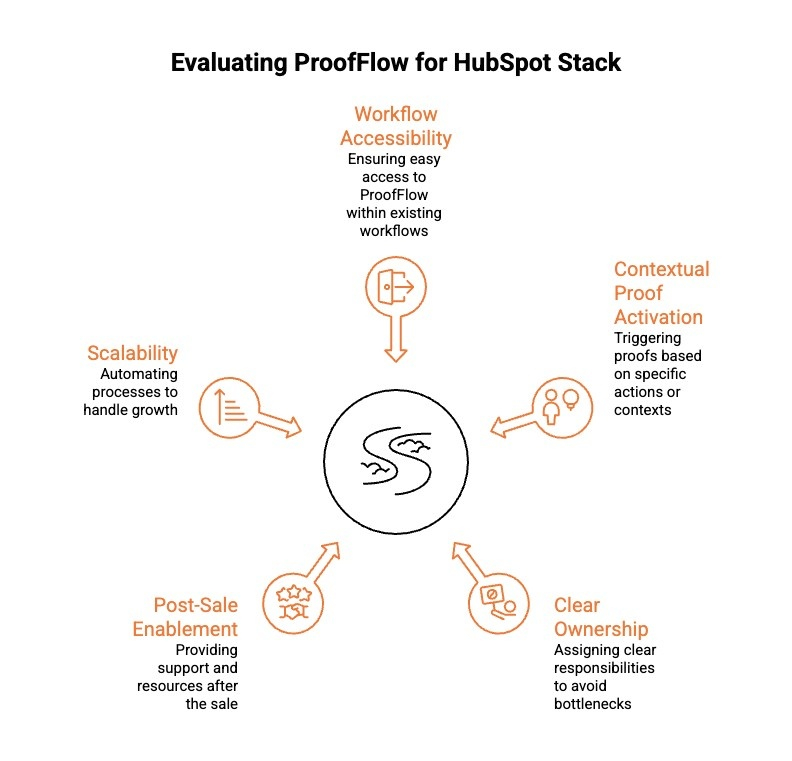
Teams should evaluate ProofFlow based on whether proof actively supports revenue workflows rather than sitting idle as content. The focus should be on usability, timing, and scale across teams.
Here are the key areas teams should evaluate when considering ProofFlow:
-
Workflow-Level Accessibility: Proof should surface directly inside HubSpot marketing automation, deal records, and support workflows, without requiring teams to switch tools or search manually.
-
Contextual Proof Activation: Testimonials should align with lifecycle stages, personas, industries, or objections so proof feels relevant to each buyer interaction.
-
Clear Ownership Without Bottlenecks: Marketing should manage approved proof centrally while sales and support access it instantly, without Slack requests or delays.
-
Post-Sale and Support Enablement: Proof should reinforce trust during onboarding, renewals, and customer success conversations, not stop at deal close.
-
Scalability Through Automation: Proof must scale across teams and touchpoints through automation, not manual sharing.
If proof moves seamlessly across workflows and reduces friction, ProofFlow is a strong fit for a HubSpot stack.
Conclusion
HubSpot connects marketing, sales, and service through shared data, but proof is what turns alignment into trust. Without a system to activate testimonials across workflows, even the best integrations fall short at critical moments. ProofFlow fills this gap by ensuring proof moves with the customer, not between folders or teams.
By embedding testimonials directly into HubSpot workflows, ProofFlow helps marketing, sales, and support reinforce credibility exactly when it matters. For teams focused on improving conversions, shortening sales cycles, and strengthening long-term relationships, activating proof across the entire customer journey is no longer optional.
Frequently Asked Questions
How do I troubleshoot issues with the HubSpot-Salesforce lead synchronization?
Start by reviewing integration settings, field mappings, and custom fields for mismatches. Check sync errors tied to email addresses, standard objects, or custom objects. Validate user permissions for Salesforce users and confirm both systems share relevant data models in real time.
What steps do I need to follow to sync leads between HubSpot and Salesforce effectively?
Begin by defining lead management rules, mapping fields correctly, and aligning standard objects. Enable bidirectional syncing, limit manual data entry, and test with sample HubSpot contacts. Follow best practices to ensure seamless integration across marketing efforts and sales efforts.
Is there a step-by-step guide for beginners to connect HubSpot Marketing Hub with Salesforce?
Yes. Start with basic integration settings, connect your Salesforce account, review common setup requirements, and map essential fields. Activate marketing automation tools gradually, test data flow, and monitor user experience to avoid early sync errors.
How do I set up the HubSpot Marketing Hub and Salesforce integration for better marketing and sales alignment?
For hubspot marketing hub salesforce integration sales marketing alignment, align business processes first, then configure field mappings, lifecycle stages, and pipeline rules. Sync marketing automation, email marketing, and ad campaigns into Salesforce CRM to support shared insights and higher conversion rates.
Can I automate data syncing between HubSpot and Salesforce to avoid manual updates?
Yes. HubSpot Salesforce integration supports automated syncing for contacts, leads, and activities. Automation reduces manual data entry, improves user experience, and ensures salesforce users and customer service teams always work with up-to-date, relevant data.
How does the HubSpot Marketplace help with improving the Salesforce integration experience?
The HubSpot Marketplace improves the Salesforce integration experience by offering certified apps that reduce sync errors, extend custom objects, improve data management, and enhance automation, helping teams achieve seamless integration across marketing, sales, and customer relationship management workflows.
What are the main benefits of integrating HubSpot Marketing Hub with Salesforce for my sales and marketing teams?
Integrating HubSpot Marketing Hub with Salesforce aligns marketing and sales around shared data, improves lead visibility, reduces manual updates, and enables closed-loop reporting so teams can track how campaigns influence pipeline, revenue, and customer outcomes more accurately.
Are there any common challenges when connecting HubSpot Marketing Hub to Salesforce and how can I solve them?
Common challenges include mismatched field mappings, duplicate records, unclear lifecycle definitions, and sync errors. These issues can be resolved by aligning processes first, standardizing fields, testing sync rules with sample data, and reviewing integration settings regularly.
Which best practices should I follow for seamless HubSpot and Salesforce integration?
Follow best practices by defining ownership rules, mapping only essential fields, aligning lifecycle stages, limiting manual data entry, and monitoring sync health. Regular audits and clear documentation help maintain clean data and long-term alignment across both platforms.
Ready to automate your testimonial collection?
Get full access to ProofFlow at no cost during our free beta. The complete testimonial automation platform for HubSpot.
Get Started Free