How Do Marketing Automation Platforms Handle Testimonials?

Key Highlights
-
Marketing automation streamlines testimonial collection by using automated workflows.
-
Email automation is a powerful tool to request customer feedback at the perfect time.
-
Customer journey mapping helps identify the best moments to ask for a review, boosting customer satisfaction.
-
Using automation for this process provides valuable social proof that can increase conversion rates.
-
These platforms allow marketing teams to gather testimonials efficiently, enhancing the overall customer experience.
-
Automating feedback requests turns happy customers into powerful brand advocates.
Testimonials don’t fail because customers won’t give them. They fail because teams miss the moment. By the time someone remembers to ask, enthusiasm fades, context is lost, and the testimonial, if it arrives at all, ends up generic or unused. As teams scale, this gap between customer sentiment and action quietly grows.
Automation changes this dynamic by preserving timing and relevance. When testimonial requests, approvals, and distribution are tied to real lifecycle signals instead of reminders and spreadsheets, testimonials become a repeatable system rather than a manual chore.
This guide explains how marketing automation platforms support testimonial and video testimonial workflows, what actually changes when these processes are automated, and how tools help teams collect, manage, and activate testimonials at scale, without losing momentum.
Why Do Customer Testimonials Matter in Modern Marketing?
Customer testimonials act as social proof by sharing real experiences from real users, not brand-driven claims. Modern buyers are more skeptical of promotions and rely heavily on peer validation before making decisions.
When used strategically, testimonials support every stage of the marketing funnel.
1. Top of the Funnel: Build Credibility and Trust
Early-stage buyers look for signs that a** brand is reliable and proven.** Testimonials help establish credibility quickly, making prospects more open to exploring your product or service.
2. Mid-Funnel: Reduce Uncertainty During Evaluation
During comparison and evaluation,** testimonials ease concerns by showing real results**. They reduce perceived risk and help prospects feel confident that others have succeeded with your solution.
3. Bottom of the Funnel: Reinforce Decision Confidence
At the decision stage, testimonials provide reassurance that choosing your brand is the right move. Seeing similar customers achieve success helps remove final doubts and encourages conversion.
When testimonials are automated across the funnel, they move from static proof to active conversion drivers, appearing exactly where buyer confidence matters most.
How Do Marketing Automation Platforms Collect Customer Testimonials Automatically?
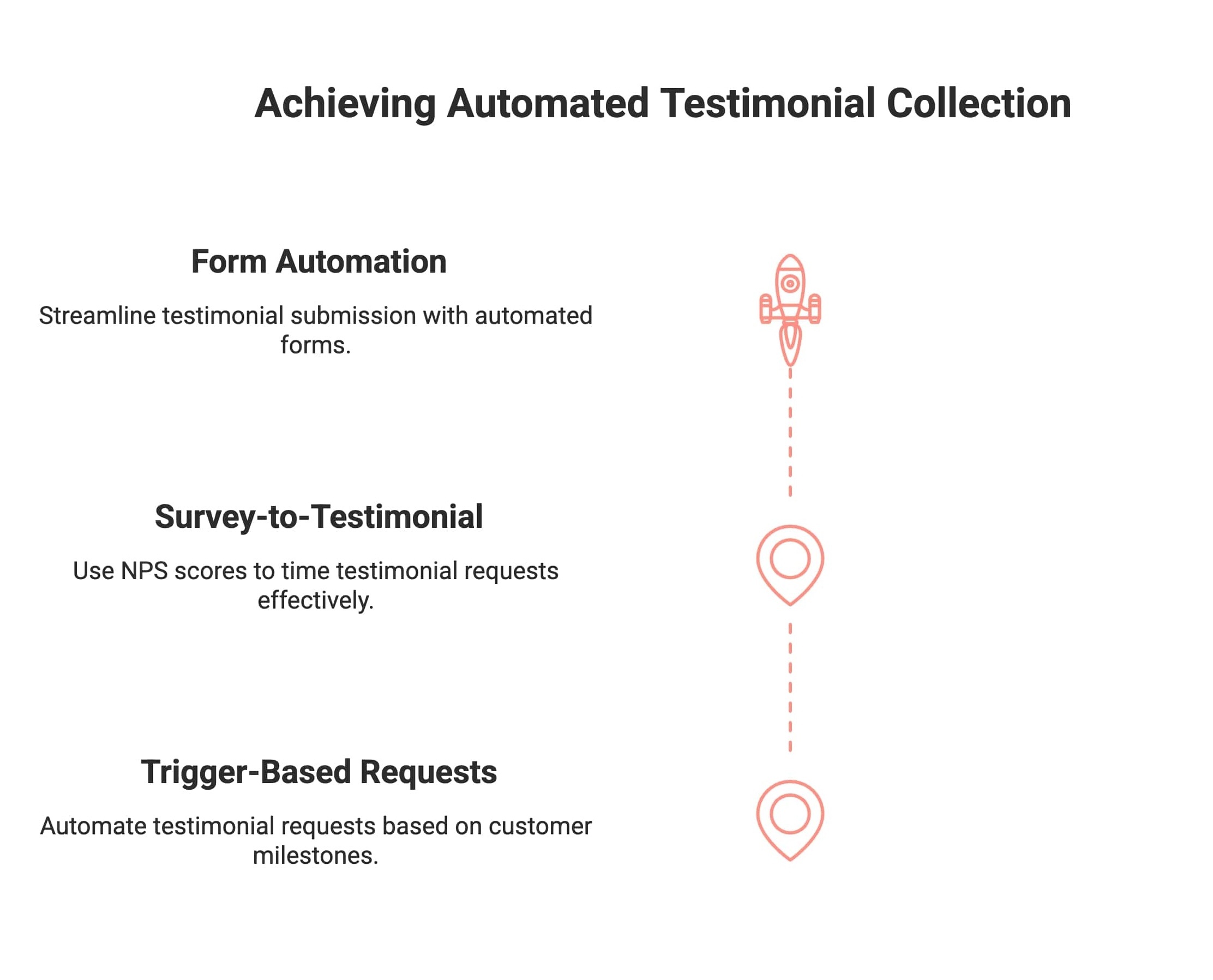
Manual testimonial outreach often happens too late, after customer enthusiasm and context have faded. Automation removes this delay by triggering requests immediately after meaningful customer actions.
In practice, this leads to higher response rates, more specific feedback, and far less time spent by teams coordinating, following up, and chasing testimonials across channels.
1. Trigger-Based Testimonial Requests
Marketing automation platforms focus on a small set of high-impact customer milestones, most commonly purchase completion, successful activation, and subscription renewal. Signals like feature adoption or strong NPS and CSAT scores help refine timing. When these priority triggers fire, testimonial requests are sent automatically via email, in-app messaging, or SMS.
2. Survey-to-Testimonial Automation
Using high NPS respondents isn’t effective simply because they’re satisfied; that’s already assumed. The real value comes from how NPS can be used as a timing and context signal, not just a filter. When testimonial requests are triggered immediately after a high score, teams capture feedback while motivation and specificity are highest.
This shifts outreach from broad, repetitive asks to precise, low-friction moments that consistently produce clearer, more usable testimonials.
3. Form and Landing Page Automation
Automated forms embedded in emails or customer portals allow customers to submit testimonials easily. Submissions are stored, tagged, and routed for review automatically, keeping the process organized and scalable.
Together, these methods ensure testimonials are collected consistently when customer sentiment is strongest, without manual follow-ups.
What Features Do Marketing Automation Platforms Offer for Managing Customer Testimonials?
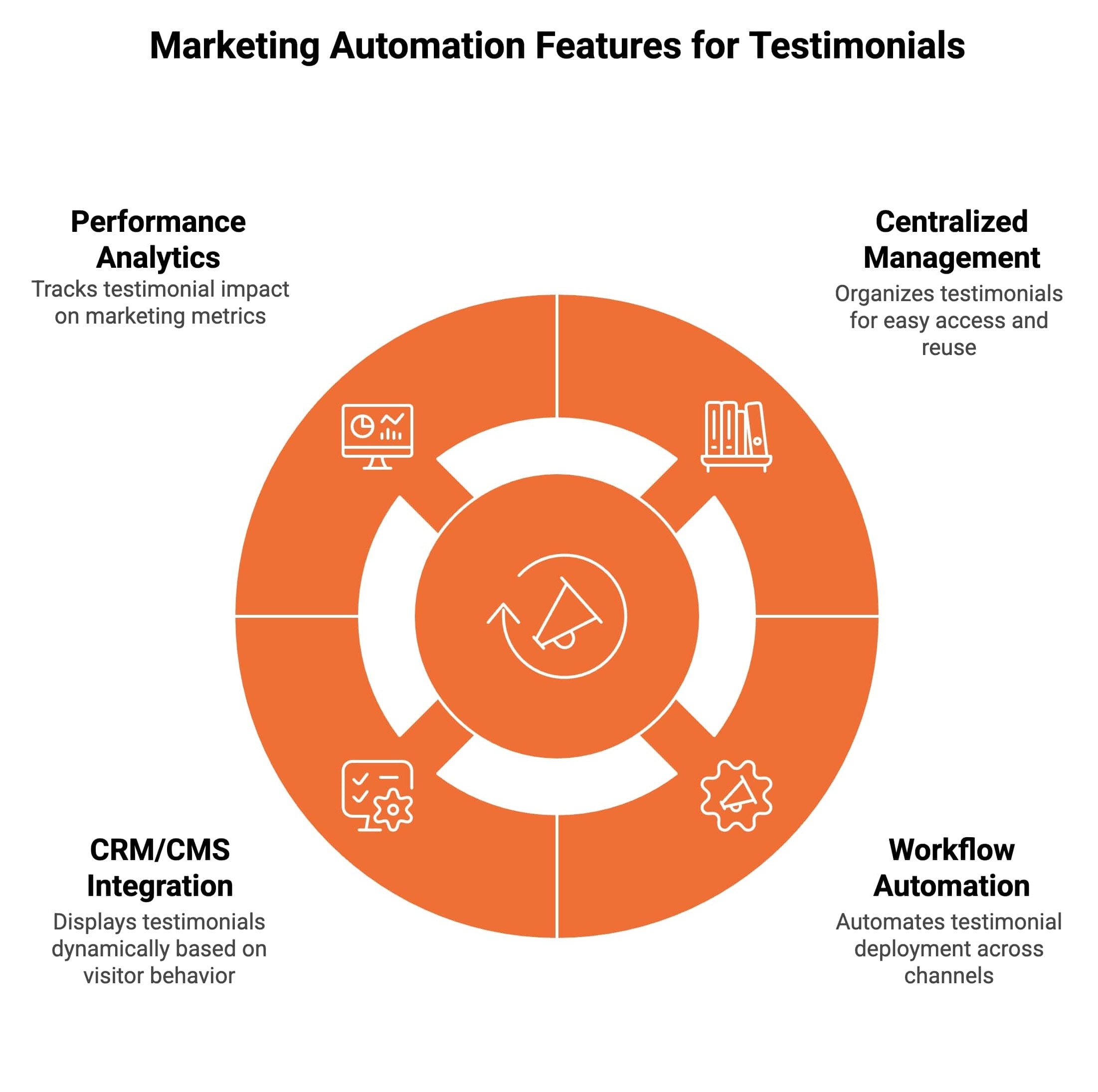
Marketing automation platforms go beyond collecting testimonials. They help teams organize, distribute, and optimize testimonials across channels like email marketing, social media, and websites, all while improving customer relationships and consistency.
These features make testimonial management scalable and measurable.
1. Centralized Testimonial Management
Testimonials are stored in a centralized system, often connected to CRM records. Teams can filter testimonials by industry, persona, product, funnel stage, or format, such as text or video, making the right proof easy to find and reuse.
2. Workflow Automation for Deployment
Once approved, workflows automatically place testimonials into email templates, landing pages, social media posts, and sales enablement assets. This ensures testimonials appear at the right time without manual updates.
3. CRM and CMS Integrations
Strong CRM and CMS integrations allow testimonials to display dynamically based on visitor behavior or lifecycle stage. This real-time personalization improves relevance, customer experience, and conversion impact.
4. Performance Analytics and Optimization
Automation platforms track how testimonials affect email engagement, landing page conversions, deal velocity, and revenue attribution. These insights support A/B testing and help teams refine placement instead of guessing what works.
By combining management, automation, and analytics, marketing automation platforms turn testimonials into data-driven growth assets rather than static content.
How Does HubSpot Enable Testimonial Video Automation?
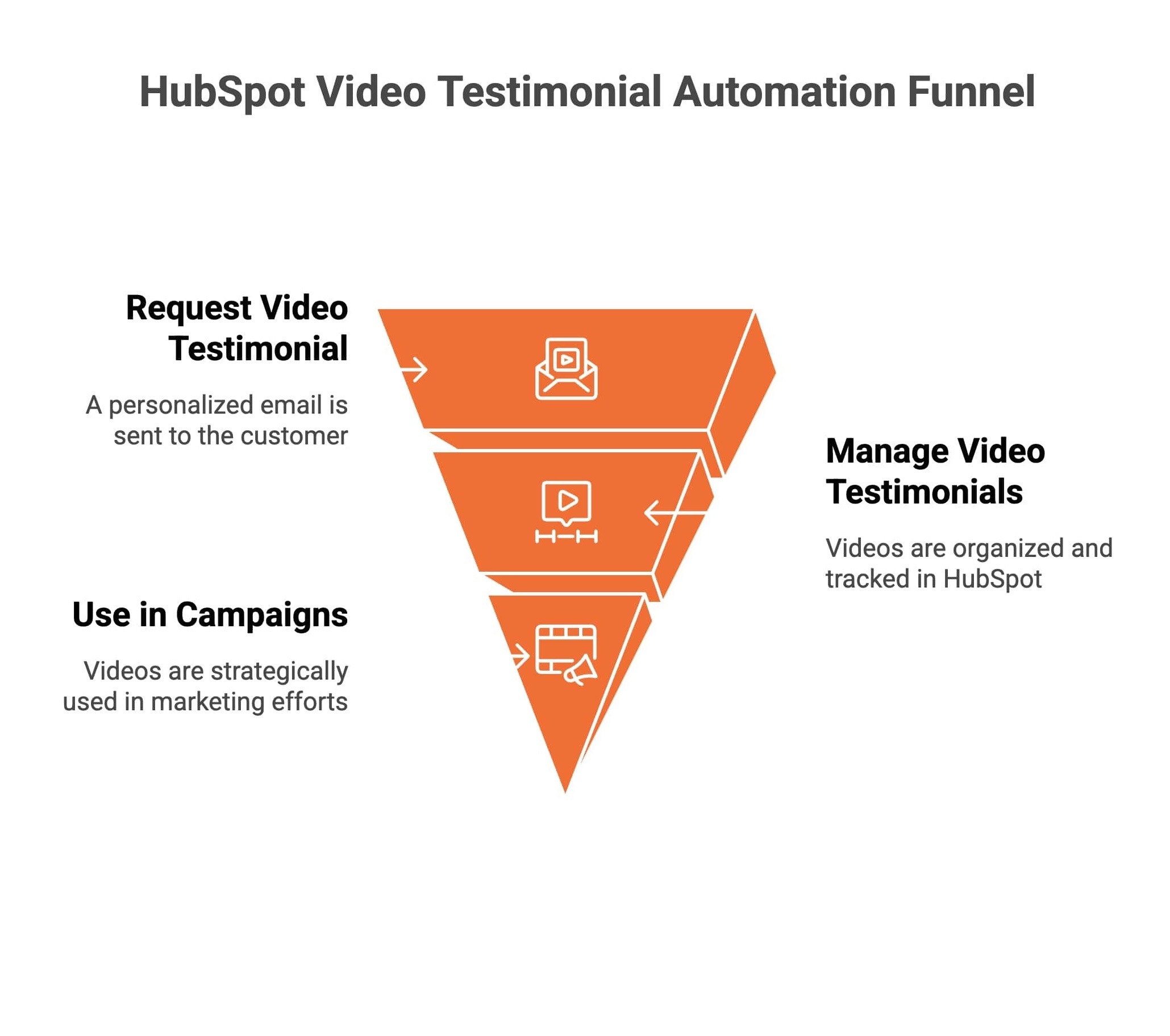
Video testimonials outperform text most clearly when buyers are weighing risk, but that advantage only appears when videos are requested at the right moment, stored correctly, and surfaced intentionally. HubSpot enables this only when teams make deliberate setup decisions.
Instead of treating video testimonials as one off content, HubSpot allows teams to connect them to lifecycle workflows. The difference is not automation alone. It is where and how automation is applied.
1. Automating Video Testimonial Requests With HubSpot
Begin by choosing one primary trigger inside HubSpot, such as Deal Stage set to Closed Won, Lifecycle Stage set to Customer, or Renewal Confirmed. This decision determines whether requests feel timely or premature.
Next, build a workflow that sends a single personalized email when the trigger fires. The email should link to a third party video capture tool and reference the specific milestone that occurred, such as after onboarding or following renewal. HubSpot handles timing and personalization, while the video tool handles recording.
To prevent duplicate requests, add a control property like Video Testimonial Requested and set it to Yes after the email sends. This ensures each customer is asked once per success event.
2. Managing Video Testimonials Inside HubSpot
Once videos are submitted, decide where they will live inside HubSpot. Instead of storing links in folders or inboxes, attach video URLs directly to contact or company records.
Use custom properties to track consent status, approval state, and usage rights. Apply tags to organize videos by industry, persona, or lifecycle stage. This setup ensures testimonials can be reused confidently without manual checks before campaigns launch.
3. Using Video Testimonials Across HubSpot Campaigns
With testimonials structured correctly, they become usable inputs across campaigns. HubSpot can insert relevant videos into nurture emails based on lifecycle stage, include them in sales follow ups tied to accounts, or display them on landing pages.
Teams should decide where video testimonials reduce friction most, such as pricing pages, demo follow ups, or renewal communications, instead of showing the same video everywhere.
When configured this way, HubSpot turns video testimonials into part of everyday customer workflows. Videos appear automatically where reassurance has the greatest impact, without relying on reminders, spreadsheets, or last minute coordination.
How Does ProofFlow Automate and Display Testimonials?
ProofFlow is not a replacement for marketing automation tools. It sits downstream of them. Marketing automation decides when a testimonial should be requested. ProofFlow handles how it is collected, reviewed, stored, and displayed once that request happens.
In practice, teams use ProofFlow as the system of record for testimonials, while tools like HubSpot handle timing and orchestration.
1. How Teams Use ProofFlow Day to Day
Teams use ProofFlow as a shared workspace for testimonials. Customer success or marketing sets up a testimonial collection page once. After that, individual team members do not manually chase feedback or manage assets.
When a testimonial is submitted, it appears inside ProofFlow with the customer’s name, format, and submission context. From there, teams review it, approve it, and decide where it can be used. This replaces folders, screenshots, email threads, and spreadsheets with a single source of truth.
2. How Testimonial Collection Is Automated in Practice
ProofFlow does not send random testimonial requests. It receives requests triggered by lifecycle events upstream. For example, when a workflow fires in HubSpot, the email links to a ProofFlow testimonial page.
Customers submit text or video from a single link without logging in. Internally, teams see new submissions queued for review. Approval, consent, and usage status are handled inside ProofFlow before anything is published. This ensures nothing goes live accidentally or without permission.
Day to day, this means testimonials arrive continuously without someone remembering to ask, and nothing is published without review.
3. How Testimonials Are Displayed and Reused
Once approved, testimonials are no longer treated as static content. ProofFlow provides embeddable widgets and blocks that teams place on websites, landing pages, or campaign pages.
Because testimonials are tagged and structured, teams can swap what appears without redesigning pages. A pricing page can show different testimonials than a homepage. Campaign pages can surface testimonials related to a specific audience or use case.
The key operational shift is that teams stop copying quotes into pages. They control testimonials centrally and let ProofFlow handle display everywhere else.
4. How ProofFlow Fits Into Existing Workflows
In a typical setup, HubSpot controls triggers and segmentation. ProofFlow controls collection, approval, storage, and display. Testimonials move from customer action to visible proof without manual handoffs.
For teams, this removes three recurring problems: forgetting to ask, losing track of permissions, and reusing outdated or irrelevant testimonials. Testimonials become part of the workflow, not an extra task.
Can Marketing Automation Tools Help Request Testimonials at Key Points in the Customer Journey?
Most teams don’t struggle to ask for testimonials; they struggle to ask at the right moment. Manual outreach relies on memory, intuition, or batch campaigns, which means requests often arrive too early, too late, or repeatedly to the same customers. Over time, this leads to lower response rates and growing fatigue.
Automation changes this by making timing precise and selective, not just efficient. Instead of guessing, marketing automation tools continuously monitor customer behavior and surface moments where sentiment, confidence, and engagement are naturally high.
The most effective request moments typically include:
-
After a customer achieves a clear, measurable result.
-
Following a positive or resolved support interaction.
-
Upon renewal or upsell acceptance.
-
When engagement or product usage peaks.
Why this advantage outweighs others: better timing improves response quality and reduces unnecessary outreach. Teams collect fewer testimonials overall, but they’re more specific, more enthusiastic, and far more usable, without burning goodwill or time.
What Are the Best Practices for Automating Customer Testimonials?
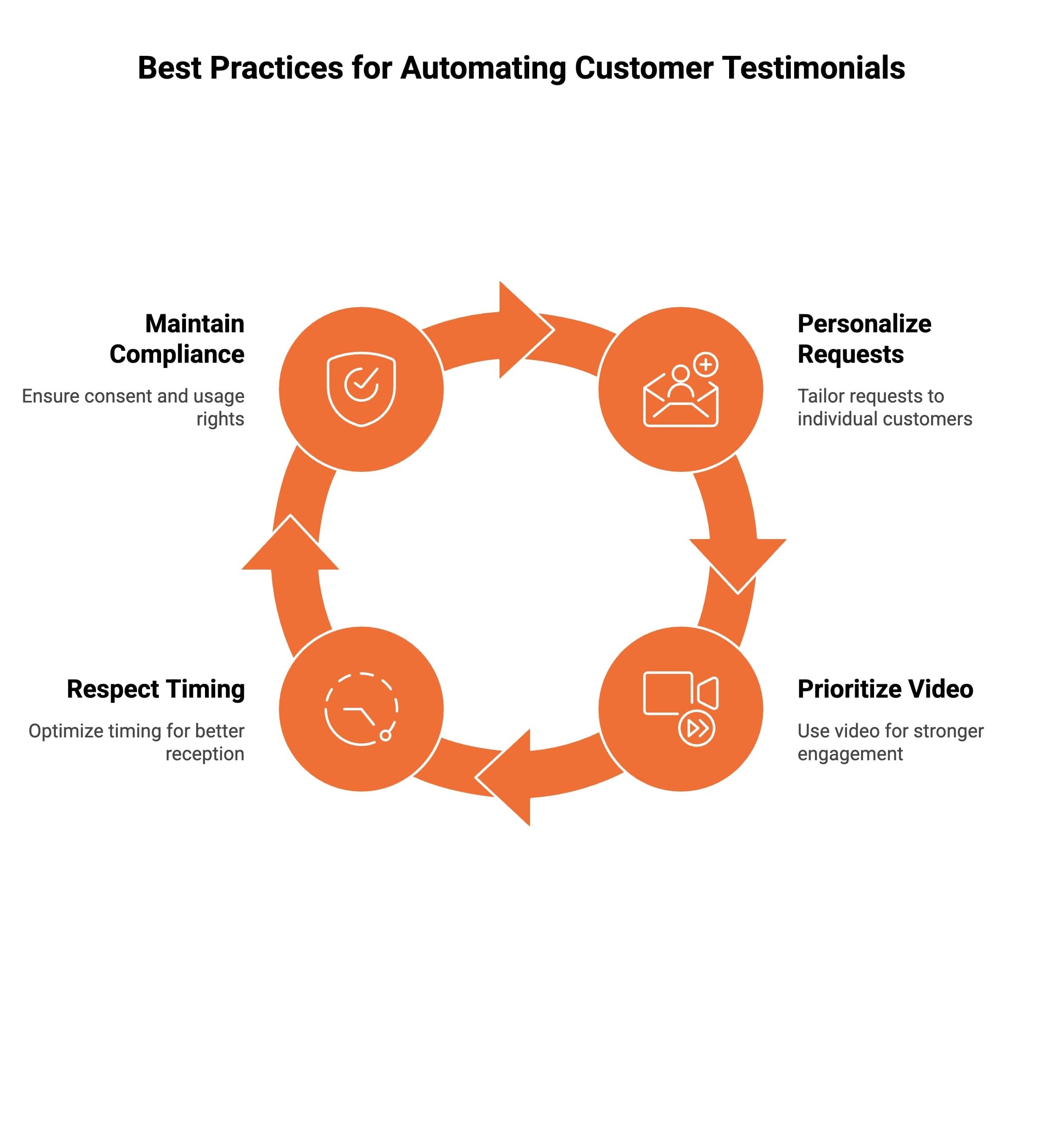
Automation delivers the strongest results when it is paired with intentional strategy and thoughtful execution. These best practices help ensure marketing automation customer testimonials feel authentic, timely, and effective across the funnel.
1. Personalize Every Testimonial Request
Use CRM data to personalize testimonial requests with customer names, product usage details, or outcomes achieved. Personalization improves response quality and ensures marketing funnel automation testimonials feel relevant, human, and connected to real customer experiences rather than generic outreach.
2. Prioritize Video Testimonials Where Possible
Video testimonials build stronger credibility and emotional connection than text alone. When integrated into marketing automation customer testimonials workflows, short, informal videos consistently improve engagement and conversion rates across landing pages, emails, and sales follow-ups.
3. Respect Timing and Request Frequency
Avoid sending testimonial requests too early or too often. Automation should optimize timing based on real customer milestones, not accelerate outreach. Thoughtful pacing protects customer relationships while keeping marketing funnel automation testimonials effective and well-received.
4. Maintain Consent and Compliance
Always capture and store consent and usage rights, especially for video testimonials used in paid campaigns. Proper documentation protects trust, ensures compliance, and allows testimonials to be reused confidently across long-term marketing automation strategies.
Conclusion
Understanding how marketing automation platforms handle customer testimonials is essential for modern growth-focused teams. Automation transforms testimonials from static content into dynamic trust-building assets that evolve with the customer journey.
Platforms like HubSpot enable sophisticated video testimonial automation, while tools like ProofFlow simplify the collection of online reviews and presentation. Together, they allow businesses to scale credibility without sacrificing authenticity.
When implemented correctly, marketing automation customer testimonials become more than proof; they become a measurable driver of conversion, retention, and long-term growth.
Frequently Asked Questions
What do marketing automation platforms do?
Marketing automation platforms help businesses manage campaigns by automating emails, lead nurturing, segmentation, analytics, and workflows. They track customer behavior, personalize communication, align sales and marketing, improve efficiency, measure performance, and scale engagement across multiple channels consistently effectively.
How are testimonials used in marketing?
Testimonials are used in marketing to build trust, reduce buyer hesitation, and validate claims. Brands feature them on websites, landing pages, ads, email, and social channels to influence decisions, reinforce credibility, highlight outcomes, and support conversions authentically online.
What is customer experience automation?
Customer experience automation uses technology to manage, personalize, and optimize interactions across the customer journey. It automates responses, triggers, follow ups, feedback, and workflows to improve consistency, satisfaction, retention, and engagement at scale while reducing manual effort significantly overall.
How does a digital marketing agency provide customer satisfaction?
A digital marketing agency provides customer satisfaction by aligning strategy with client goals, communicating clearly, delivering measurable results, optimizing campaigns, responding proactively to feedback, and improving experiences across touchpoints using data, creativity, testing, and continuous performance optimization processes.
How can I use testimonials in my marketing and sales efforts?
You can use testimonials in marketing and sales by placing them on key pages, emails, proposals, and ads. Match testimonials to buyer objections, industries, or stages, reinforce proof, support conversations, and accelerate trust, confidence, and purchasing decisions faster.
What makes a worthwhile marketing automation platform?
A worthwhile marketing automation platform offers ease of use, reliable integrations, strong analytics, personalization, scalability, automation flexibility, compliance, and support. It aligns with business goals, improves efficiency, delivers insights, supports growth, and proves clear return on investment over time.
What are the core personalization capabilities of marketing automation platforms?
The core personalization capabilities of marketing automation platforms include behavioral tracking, dynamic content, segmentation, lifecycle triggers, lead scoring, predictive insights, and real time messaging. These features tailor experiences, improve relevance, increase engagement, and drive higher conversion rates across channels.
How do marketing automation platforms collect customer testimonials automatically?
Marketing automation platforms collect customer testimonials automatically by triggering requests after key actions, purchases, milestones, or satisfaction signals. They use email, SMS, workflows, reminders, forms, and integrations to capture, organize, approve, and route testimonials efficiently at scale consistently.
What are common strategies to use marketing automation for showcasing customer testimonials?
Common strategies include embedding testimonials on landing pages, rotating social proof, segmenting by persona, using video, syncing with email campaigns, sales pages, and ads. Automation ensures timely, relevant, dynamic placement that reinforces trust, credibility, and conversions throughout funnels.
Are there any examples of successful testimonial automation campaigns?
Yes, successful testimonial automation campaigns include SaaS onboarding reviews, post purchase video requests, NPS driven triggers, and case study workflows. These programs increase response rates, consistency, credibility, and conversions by capturing advocacy moments automatically across customer journeys at scale effectively.
Ready to automate your testimonial collection?
Get full access to ProofFlow at no cost during our free beta. The complete testimonial automation platform for HubSpot.
Get Started Free