What Is ProofFlow and How Does It Work?

Key Highlights
-
ProofFlow uses AI agents and LLMs to automate testimonial collection, review, and publishing inside HubSpot.
-
It replaces manual follow-ups with intelligent workflows that trigger requests at the right lifecycle moments.
-
Testimonials move through structured reviewer and approval flows instead of email threads and documents.
-
ProofFlow centralizes testimonials into a single library, making collaboration across teams seamless.
-
Built-in quality controls ensure testimonials are standardized, approved, and ready for reuse.
-
Marketing, sales, RevOps, and customer success teams work as connected collaborators on shared social proof.
Testimonials play a critical role in building trust, yet most HubSpot teams struggle to manage them effectively. Research shows that 98% of buyers read reviews or testimonials before making a purchase decision, but collecting and activating that proof remains largely manual.
As teams scale, this gap becomes more visible. Testimonial requests rely on one-off emails, approvals get stuck in inboxes, and valuable customer feedback never reaches landing pages or sales conversations. What should support growth instead turns into operational friction.
This blog explains what ProofFlow is, how it works natively with HubSpot, and how it automates the entire testimonial lifecycle from request to publication. The goal is to show how HubSpot teams can turn testimonials into a structured, repeatable trust asset that supports marketing, sales, and revenue workflows.
What Is ProofFlow, and What Problems Does It Solve for HubSpot Teams?
ProofFlow is a HubSpot-native testimonial automation platform that helps teams collect, manage, and publish customer testimonials at scale. It eliminates manual work and disconnected tools.
Below are the key problems ProofFlow solves for HubSpot teams:
-
Manual Testimonial Requests: Teams rely on one-off emails and reminders that slow responses.
-
Fragmented Approval Workflows: Feedback gets buried across inboxes, documents, and chat threads.
-
No Centralized Testimonial System: Testimonials are scattered, making reuse and organization difficult.
-
Low Social Proof Utilization: Strong customer feedback never reaches marketing or sales assets.
-
Limited Cross-Team Visibility: Marketing, RevOps, and sales lack a shared source of truth.
By automating and centralizing testimonials inside HubSpot, ProofFlow turns customer proof into a reliable, scalable growth asset.
How Does ProofFlow Work Inside HubSpot?
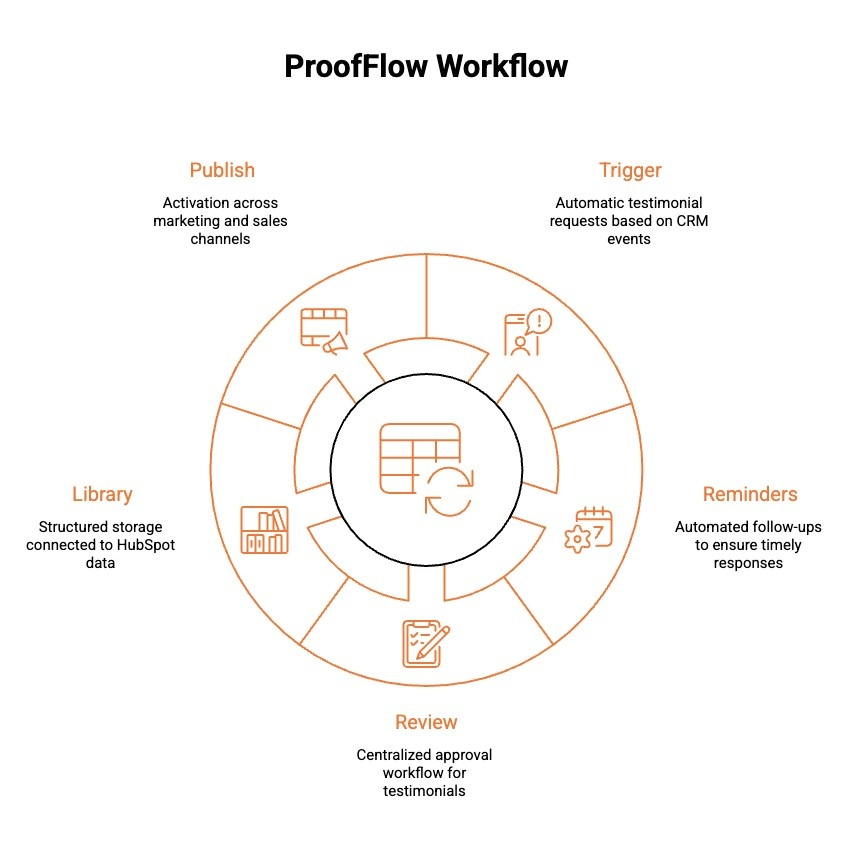
ProofFlow connects directly to HubSpot and automates the full testimonial lifecycle using existing CRM data and workflows. Instead of adding a parallel system, it embeds testimonial collection, review, storage, and activation into the same environment where marketing, sales, and success teams already operate.
Here is how the workflow functions inside HubSpot:
1) Trigger: Automatic Testimonial Requests From CRM Events
Testimonial requests are triggered by defined HubSpot events such as
-
Deal closed
-
Lifecycle stage change
-
Renewal or milestone reached
Requests are sent automatically at the right moment, without manual coordination.
2) Reminders: Automated Follow-Ups
If a customer does not respond, automated reminders are sent based on predefined timing rules.
Teams do not need to monitor responses or manually follow up. The system maintains consistency without added effort.
3) Review: Centralized Approval Workflow
Submitted testimonials flow into a single dashboard for review.
Teams can:
-
Edit content
-
Approve or reject submissions
-
Add tags such as industry, persona, use case, or funnel stage
This replaces scattered email approvals and shared documents.
4) Library: Structured Storage Connected to HubSpot Data
Approved testimonials are stored in a structured library tied to HubSpot contact and deal records.
Proof becomes searchable and reusable based on:
-
Customer segment
-
Industry
-
Product line
-
Lifecycle stage
This removes dependency on folders, spreadsheets, or disconnected tools.
5) Publish: Activation Across Marketing and Sales Channels
Approved testimonials can be reused across:
-
Landing pages
-
Email campaigns
-
Sales workflows
-
Website sections
Because testimonials remain connected to CRM data, activation aligns with specific audiences and deal stages.
By embedding this workflow directly inside HubSpot, testimonial collection becomes structured, repeatable, and easier to scale without introducing new manual processes.
How Does ProofFlow Automate the Entire Testimonial Lifecycle from Request to Publication?
ProofFlow automates testimonials end-to-end by removing manual steps and keeping everything connected to HubSpot. From the first request to live publication, the process runs in the background.
Below are the key stages of the testimonial lifecycle ProofFlow automates:
-
Automated Testimonial Requests: Requests are triggered by HubSpot events like closed deals or lifecycle updates.
-
Customer-Friendly Submission: Customers submit testimonials through a simple, guided experience.
-
Automated Reminders: Follow-ups are sent automatically to improve response rates.
-
Centralized Review and Approval: Teams review, edit, and approve testimonials in one place.
-
Organized Testimonial Library: Approved testimonials are tagged and stored for easy reuse.
-
One-Click Publishing: Testimonials are published across websites, landing pages, and campaigns.
By automating every stage, ProofFlow turns testimonials into a repeatable system instead of a one-off task.
Also Read: Still managing testimonials manually? See how testimonial automation helps teams collect, review, and publish customer proof without chasing emails or approvals.
Who Can Benefit Most From Using ProofFlow With HubSpot?
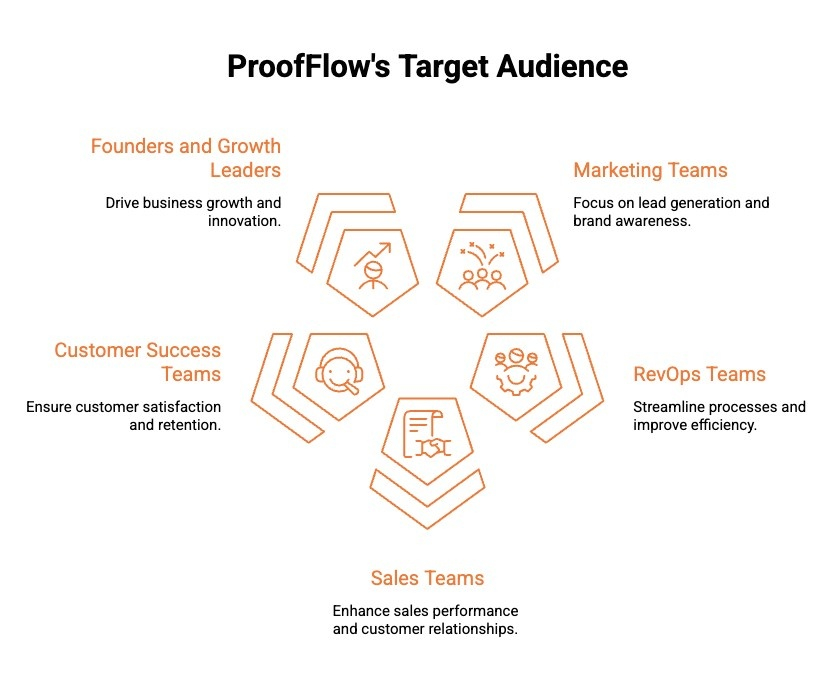
ProofFlow is built for HubSpot teams that want to scale social proof without adding manual work or disconnected tools. It supports multiple roles across the revenue funnel.
Below are the teams that benefit most from using ProofFlow with HubSpot:
-
Marketing Teams: Automate testimonial collection and activate approved proof across landing pages, emails, and campaigns. Fresh testimonials stay available inside HubSpot, reducing reliance on outdated quotes and improving campaign performance.
-
RevOps Teams: Gain visibility into how testimonials move across lifecycle stages. Centralized proof removes manual coordination and supports cleaner reporting, funnel tracking, and cross-team alignment.
-
Sales Teams: Access approved testimonials mapped to specific segments or use cases. Reps can share relevant proof at key decision points without requesting assets from marketing.
-
Customer Success Teams: Trigger testimonial requests after renewals, onboarding milestones, or successful outcomes. Feedback is captured without disrupting relationships or adding administrative overhead.
-
Founders and Growth Leaders: Turn customer feedback into a structured growth asset. Proof remains consistently collected, governed, and activated across teams without ongoing manual supervision.
By supporting every revenue-facing team, ProofFlow helps HubSpot users operationalize customer proof as a scalable advantage rather than a one-off effort.
Why ProofFlow Works Better Than Manual Testimonial Collection in HubSpot?
Manual testimonial collection inside HubSpot often breaks down due to missed follow-ups, scattered ownership, and inconsistent activation. The difference comes down to structure and automation.
Here is a side-by-side comparison of manual testimonial collection versus a structured, automated approach:
| Area | Manual Testimonial Collection | ProofFlow Approach |
|---|---|---|
| Follow Ups | Relies on one-off emails and reminders. Easy to forget, delay, or deprioritize. | Automated requests and reminders triggered by HubSpot workflows at defined lifecycle moments. |
| Approvals | Managed through email threads, shared docs, or Slack messages. Ownership is often unclear. | Centralized approval dashboard with clear visibility, editing controls, and defined ownership. |
| Storage | Testimonials stored in folders, spreadsheets, PDFs, or slide decks. Hard to search and reuse. | Structured testimonial library connected to HubSpot data and searchable by persona, industry, or stage. |
| Activation | Often never reused beyond the original campaign. Requires manual copy and paste into assets. | Designed for reuse across landing pages, emails, sales workflows, and campaigns without reapproval. |
| Scalability | Becomes inconsistent as volume grows. Depends heavily on individual team effort. | Built for repeatability inside workflows, allowing proof collection and activation to scale without extra coordination. |
By replacing manual coordination with structured automation, testimonial collection becomes predictable, searchable, and easier to activate across marketing and sales workflows.
Is ProofFlow the Right Testimonial Solution for Your HubSpot Stack?
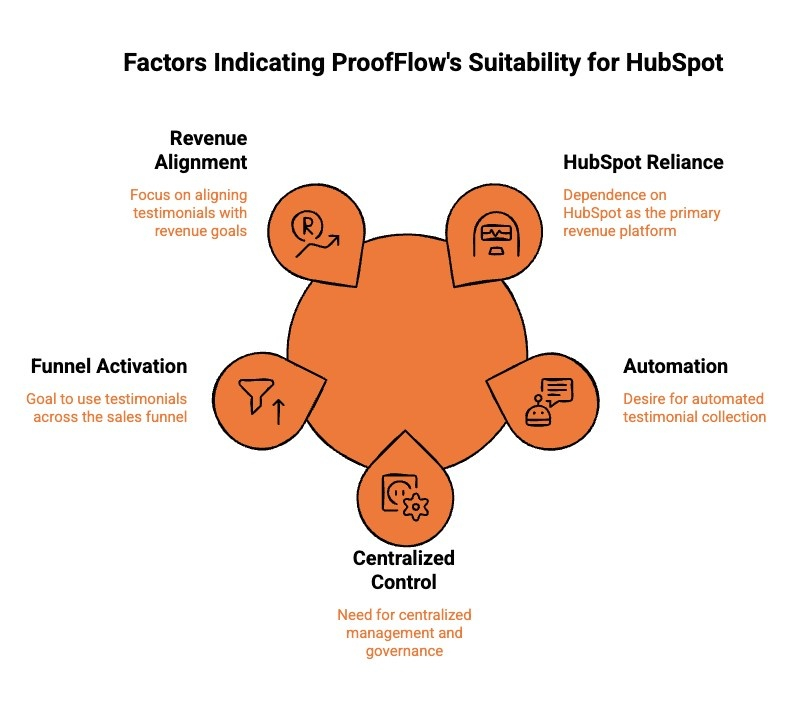
ProofFlow is built for HubSpot teams that want testimonials to run as a system, not a side task. It works best when social proof needs to scale without extra tools or manual effort.
Below are the situations where ProofFlow is the right testimonial solution for your HubSpot stack:
1) You Rely on HubSpot as Your Core Revenue Platform
If HubSpot already powers your marketing, sales, and customer lifecycle, ProofFlow fits naturally into your stack. It uses HubSpot data and triggers, so testimonials become part of your existing workflows rather than a disconnected process managed elsewhere.
2) You Want to Automate Testimonial Collection at Scale
Teams collecting testimonials manually often hit a ceiling as volume grows. ProofFlow is a strong fit if you want testimonial requests, reminders, and approvals to run automatically without increasing operational workload or headcount.
3) You Need Centralized Control and Governance
If testimonials are currently scattered across emails, documents, and spreadsheets, ProofFlow provides structure. It creates a single source of truth with clear ownership, approvals, and organization tied back to HubSpot records.
4) You Want to Activate Testimonials Across the Funnel
ProofFlow works well for teams that want testimonials to show up consistently in landing pages, emails, and sales conversations. It helps ensure customer proof is not just collected but actively used where it impacts conversions.
5) You Are Focused on Revenue Alignment
For RevOps, marketing, and sales teams that need better alignment, ProofFlow adds visibility and consistency. Testimonials become a shared asset that supports pipeline movement and trust building across teams.
If testimonials matter to your growth strategy and HubSpot is central to your stack, ProofFlow is designed to turn customer proof into a scalable, automated advantage rather than a manual afterthought.
Also read: Want a deeper breakdown of how testimonials function inside CRM workflows? Explore how to manage and activate HubSpot customer testimonials more effectively across marketing, sales, and customer success.
Conclusion
ProofFlow turns testimonials into a structured, automated system that works natively inside HubSpot. Instead of chasing feedback or managing approvals across disconnected tools, teams gain a reliable way to collect, manage, and publish customer proof at scale. By aligning testimonials with HubSpot workflows, ProofFlow ensures social proof shows up at the right moments across marketing and sales.
The result is higher response rates, better utilization of testimonials, and less manual effort for revenue teams. For HubSpot-driven organizations that view trust as a growth lever, ProofFlow transforms testimonials from an occasional task into a consistent, repeatable asset that supports conversion, alignment, and long-term scalability.
Frequently Asked Questions
How does ProofFlow integrate with existing HubSpot workflows?
ProofFlow integrates natively with HubSpot by using CRM triggers such as deal stage changes, lifecycle updates, NPS submissions, and ticket closures. It works alongside existing workflows, syncing contacts, automating testimonial requests, and updating records without disrupting your current sales or marketing automation structure.
Can ProofFlow handle both text and video testimonials?
Yes. ProofFlow supports both structured text testimonials and one click video testimonial collection. Businesses can send automated requests, collect responses inside branded forms or video prompts, and store everything centrally. This allows teams to reuse testimonials across landing pages, sales decks, ads, and case studies.
What happens when a customer doesn’t respond to a testimonial request?
If a customer does not respond, ProofFlow automatically triggers follow up reminders based on predefined timelines. Exit criteria prevent over messaging once a testimonial is submitted. This ensures consistent follow up while protecting customer relationships and maintaining a professional brand experience.
Is ProofFlow suitable for agencies managing multiple HubSpot portals?
Yes. ProofFlow is well suited for agencies managing multiple HubSpot accounts. Agencies can deploy testimonial automation across client portals, standardize workflows, monitor performance, and centralize reporting. This makes it easier to scale social proof systems without adding operational complexity.
How does ProofFlow keep testimonials organized and searchable?
ProofFlow centralizes testimonials inside a structured dashboard connected to HubSpot records. Testimonials can be filtered by lifecycle stage, deal size, industry, format, or campaign source. This makes it easy for marketing and sales teams to quickly find relevant proof assets when handling objections or building campaigns.
Ready to automate your testimonial collection?
Get full access to ProofFlow at no cost during our free beta. The complete testimonial automation platform for HubSpot.
Get Started Free